AI Social Media Content Generator: The Honest Guide
Understand how an ai social media content generator works, from prompts to publishing, and learn the governance steps that keep your brand safe.
Three in ten UK adults have used AI tools, but trust hasn't increased, so the practical answer is to use an AI social media content generator for drafts, variations and repurposing, while keeping human review at the centre. The bottleneck isn't producing more copy. It's deciding what's accurate, safe, on-brand and legally ready to publish.
The familiar situation is a social manager opening four networks before breakfast, adapting one campaign for Instagram, LinkedIn, TikTok and X, then checking a product claim that an AI tool has confidently rewritten incorrectly. Generation takes minutes. Approval takes longer, especially when the post includes a statistic, a customer reference, a regulated claim or an image that could mislead.
That tension defines the current market. Ofcom's UK research found that people were increasingly using AI for work, but AI wasn't trusted more than it had been in 2023. Ofcom's latest look at UK media habits therefore points to a useful rule for brands: adopt AI where it removes repetitive work, not where it removes accountability.
Table of Contents
- What Is an AI Social Media Content Generator
- How AI Content Generation Works in Practice
- Why UK Marketers Are Adopting AI at Scale
- Real Use Cases and Cross-Platform Adaptation
- The Trust Deficit and Misinformation Risks
- Essential Evaluation Criteria for Choosing Tools
- Building a Sustainable AI Content Workflow
What Is an AI Social Media Content Generator
A social media manager starts with a campaign brief, a few approved messages and a deadline. They need a concise Instagram caption, a more explanatory LinkedIn post, a short TikTok script and several alternative hooks. An AI social media content generator can turn that shared idea into first drafts, but it can't know whether the campaign promise is supportable unless someone gives it reliable context and checks the result.
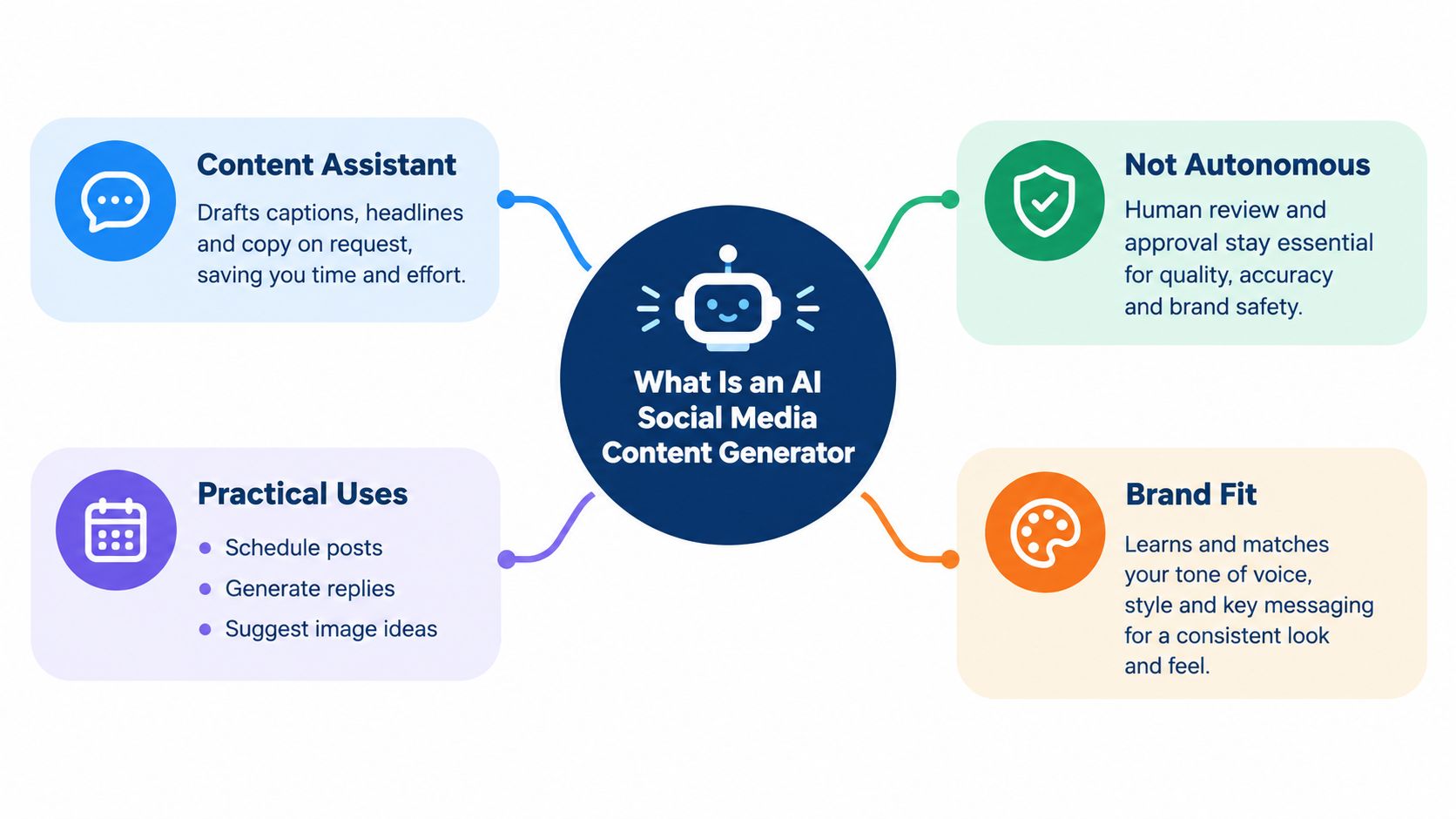
At its simplest, the software predicts and assembles language from an instruction. More useful tools add a social layer, such as a requested platform, audience, tone, format or call to action. They may also help produce post ideas, headline variants, replies, image concepts and versions of existing content. The result is an assistant for editorial production, not an autonomous brand representative.
The useful mental model
Think of the generator as a junior copywriter who works quickly but doesn't own the brief. It can produce a sensible starting point, spot alternative angles and remove the blank-page problem. It may also flatten distinctive language into generic marketing phrasing, invent an unsupported detail or misunderstand a product category.
The distinction matters because vendors often describe generation as if it were the whole publishing process. It isn't. A draft still needs a source check, brand review, accessibility consideration and an approval decision. A practical guide to AI content creation tools is useful here because it helps separate drafting capability from the wider workflow around a draft.
Practical rule: Treat generated copy as unapproved material until a named person has checked its meaning, evidence and intended audience.
Natural language processing helps a tool interpret instructions, while pattern recognition helps it reproduce familiar structures, tones and formats. Those capabilities are valuable for speed, but they don't create first-hand knowledge of a company's customers or current events. Your brand guidelines, approved claims, audience notes and examples still determine whether the output sounds like you.
The strongest use is bounded assistance. Ask for five hooks based on an approved message, not for a complete campaign based on confidential material. Ask for a shorter version of verified copy, not permission to invent a benefit. That difference is where responsible use begins.
How AI Content Generation Works in Practice
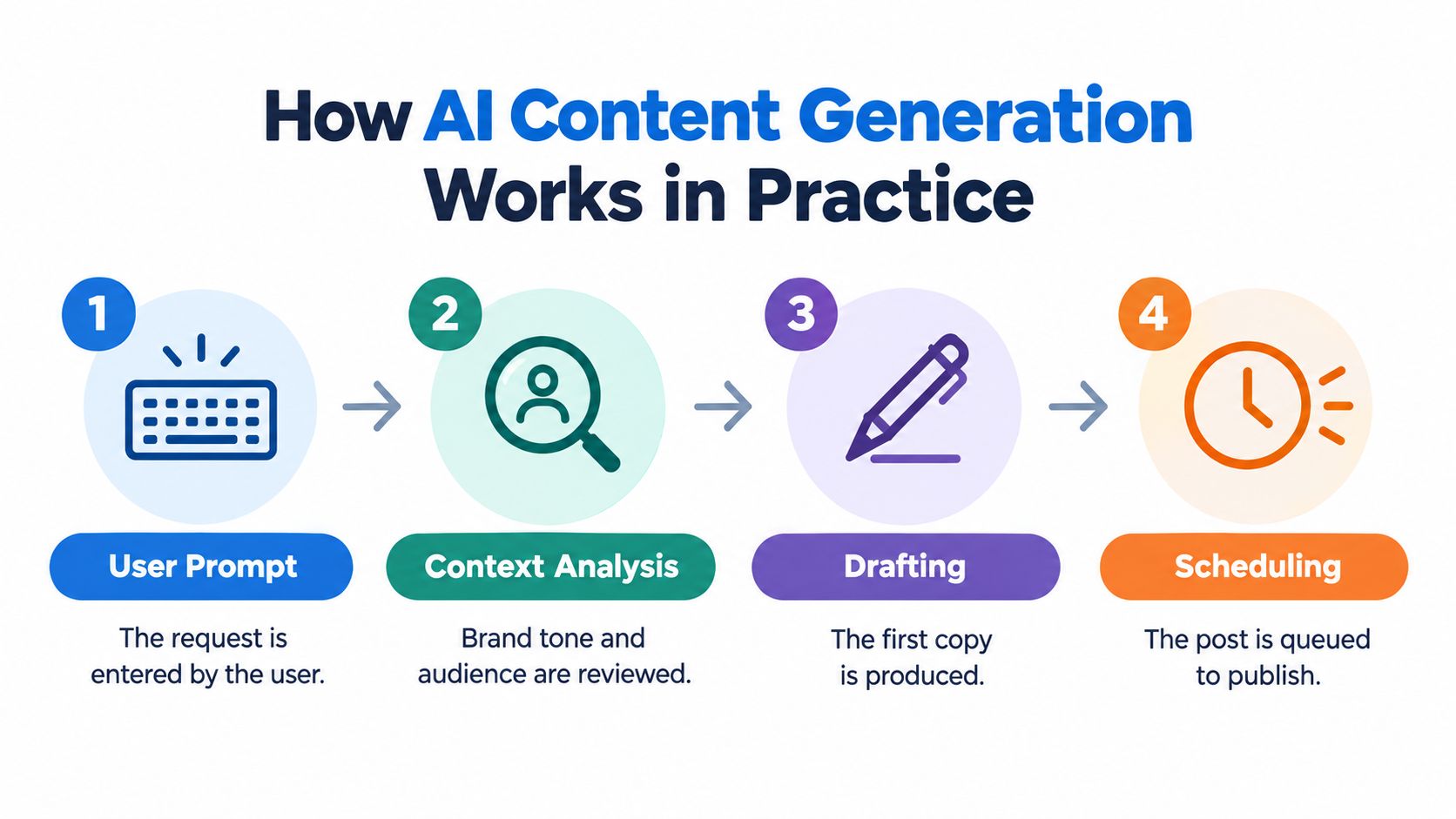
A dependable workflow has a clear handoff between request, context, draft and approval. The technology may look conversational, but the operational sequence is closer to an editorial production line.
Start with a controlled request
The first step is the prompt or brief. A useful request identifies the network, audience, objective, approved message, tone, format and any words or claims that must remain unchanged. “Write a post about our service” leaves too much room for invention. “Rewrite this approved product explanation for a professional LinkedIn audience, keep the factual wording intact and end with a question” creates a safer boundary.
Next comes context analysis. The tool may consider brand examples, an audience description or platform conventions, but the quality of that context varies. A system that has no reliable connection to current product information can't safely fill gaps from memory. Teams should provide source material rather than expect the generator to research sensitive claims by itself.
Separate drafting from publication
Drafting is where the tool produces a caption, script, response or variation. The first version should be treated as a working document. Reviewers need to check whether the copy preserves the original meaning, makes promises the business can support and uses a tone that sounds human rather than mechanically enthusiastic.
Platform adaptation is more than changing a character count. Instagram may need a visual-first caption and a strong opening line. LinkedIn often benefits from a clearer professional argument. TikTok may require spoken language and an immediate hook. X may need compression without losing the point. The generator can create variants, but an editor must decide whether each variant still belongs to the same campaign.
Make the scheduler a control point
The scheduling interface is where many AI workflows become risky. If a generated draft moves straight into a publishing queue, the organisation has confused production with approval. The safer design keeps the draft identifiable, records who changed it, and routes higher-risk content to someone with authority to approve it.
A practical sequence looks like this:
- Brief: Define the message, audience, platform and evidence.
- Generate: Produce one or more drafts and label AI assistance.
- Edit: Check facts, tone, accessibility, disclosures and creative assets.
- Approve: Assign a person to accept, amend or reject the post.
- Schedule: Queue only the approved version, with the final copy preserved.
The final step isn't a technical afterthought. It's the point where a brand decides that the content is ready to represent it publicly.
Why UK Marketers Are Adopting AI at Scale
A UK social team can spend the morning adapting one announcement for several channels, then repeat the process for the next campaign. Generative AI offers a way to produce those variations without expanding every part of the production team. The pressure comes from growing channel coverage, shorter turnaround times and more formats to support.
A UK survey of nearly 200 social-media marketers found that respondents expected generative AI to produce an average of 48% of their social-media marketing content by 2026, compared with an estimated 36% at the time of the survey. The same research reported that 77% said GenAI-created content had increased engagement or impressions, including 23% who reported a significant increase. 83% expected their organisations to increase spending on GenAI tools. These results describe expectations and reported outcomes, not proof that AI independently caused performance gains. Capterra's UK survey coverage makes that distinction clear.
From occasional help to routine production
The shift is most visible in repetitive work. A team can use AI to draft alternative introductions, turn a long announcement into channel-specific versions, suggest questions for a community post or develop several angles from a completed webinar. These tasks still need editorial judgement, but they reduce manual rewriting and give marketers more options to assess.
Governance determines whether that speed helps or creates extra risk. A content idea sitting in a separate writing tool may still require manual copying, formatting, review and transfer into a publishing system. A connected workflow preserves context, but it also needs permissions, version history and an audit trail. Without those controls, faster drafting can just move errors closer to publication. This overview of mobile marketing platforms offers useful context for considering how content creation fits into wider campaign operations.
Adoption does not settle the trust question
Wider familiarity with AI assistance does not guarantee acceptance of every generated post. Audiences still judge whether a claim is accurate, whether the tone suits the brand and whether a business takes responsibility for what it publishes. Trust therefore depends on visible editorial control, not on the volume of content a tool can produce.
The practical decisions concern which tasks deserve automation, which require evidence and who has final approval. That choice turns an AI social media content generator into part of an operating model, rather than another isolated writing tab.
Real Use Cases and Cross-Platform Adaptation
The strongest cross-platform workflow starts with one verified campaign idea, then changes the expression for each audience and format. It doesn't publish identical text everywhere and call that consistency.
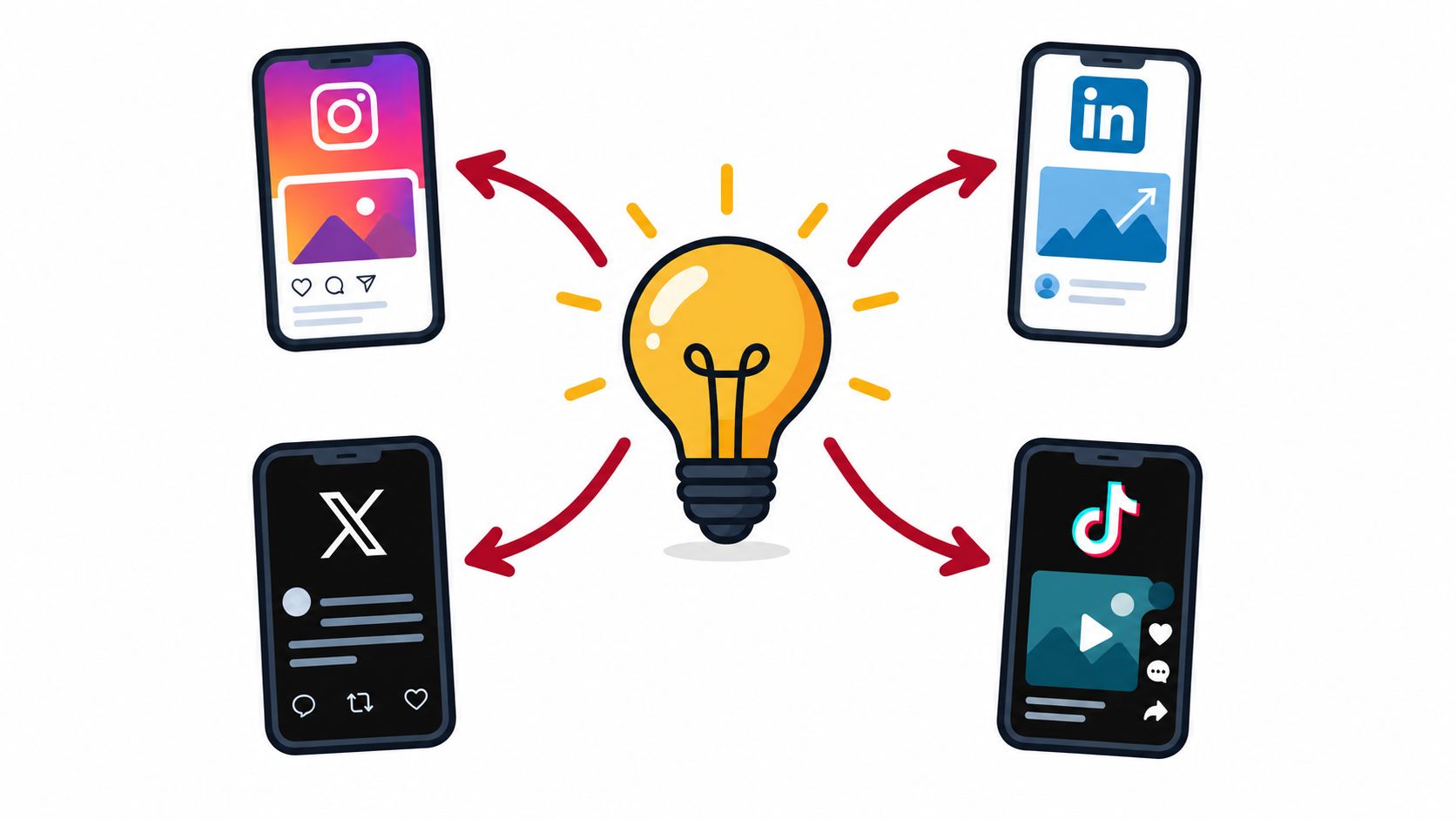
Take a product update as the source message. An Instagram version may lead with the customer benefit and depend on a strong visual. A LinkedIn version can explain the business problem and the reasoning behind the update. An X version needs a compressed point that remains clear without context. A TikTok script may need spoken phrasing, an immediate opening and visual directions for the presenter.
Adapt the message, not just the length
A useful generator preserves the central claim while allowing the format to change. Give it the approved source copy, the intended audience and the constraints for each network. Then compare every variant against the source rather than judging each draft in isolation.
For planning LinkedIn angles before asking an AI tool to draft them, a tool for planning LinkedIn posts can help turn broad themes into more specific discussion points. The resulting idea still needs a brand-specific argument, evidence and a human voice. Generic prompts produce generic posts, even when the grammar looks polished.
A mature workflow also repurposes existing material carefully:
- Customer education: Turn a verified help article into a short explainer, a question-led post and a script for a presenter.
- Campaign promotion: Create platform-specific introductions while keeping offer terms and eligibility unchanged.
- Community management: Draft replies to recurring questions, then require review for complaints, refunds or sensitive personal information.
- Creative development: Generate visual directions, hook options and alternative calls to action before a designer or editor finalises the asset.
The generator saves time when the source material is good and the boundaries are clear. It creates more work when the team asks it to find the strategy, invent the evidence and decide the risk level at once.
This workflow also depends on a real publishing tool, because Scheduler.social is a directory rather than a scheduler and doesn't publish posts. Options listed in the directory include Buffer, Hootsuite, Later, Sprout Social, SocialBee, Metricool, Publer, Vista Social, Planable, Postiz and Typefully. Their strengths differ, so check current platform support, collaboration features, analytics and approval options on the relevant product sites before choosing.
A practical test is to run one campaign through the complete path, from approved brief to final scheduled asset. Count the edits, identify where reviewers hesitate and inspect whether the final system preserves the approved version. That reveals more than a polished generation demo.
The Trust Deficit and Misinformation Risks
A faster publishing process isn't automatically a better publishing process. If the generator produces plausible inaccuracies, removes useful caveats or makes a brand sound synthetic, the team may save time during drafting and lose credibility afterwards.
A nationally representative YouGov survey of 2,128 UK adults found that 73% were concerned about AI-generated content on social media, while 67% worried that it could contribute to misinformation. The same research found that 50% believed labels could reduce misinformation, but 48% distrusted the accuracy of AI-content labels. YouGov's research on AI labelling and misinformation shows why disclosure alone can't replace editorial controls.
Risk rises with the claim
Not every generated asset deserves the same review. A light rewrite of an already approved announcement is different from copy containing a health outcome, financial statement, statistic, named person, current-event reference or synthetic testimonial. The second group needs stronger evidence checks because a confident error can cause disproportionate harm.
A UK marketer survey found that respondents used generative AI for an average of 36% of company social-media content, while just over one-quarter consistently labelled AI-generated posts. It also found that 56% were moderately to highly concerned that AI-generated marketing content could spread harmful misinformation. Capterra's research on transparency in GenAI marketing content points to governance as the bottleneck, not raw text generation.
A sensible review queue flags posts that contain:
- Evidence-heavy claims: Statistics, comparisons, research references and performance promises.
- Regulated subjects: Health, finance, legal services or safety information.
- Personal information: Customer details, private correspondence or confidential client material.
- Synthetic media: Generated people, voices, testimonials or images that could be mistaken for real material.
- Live events: Current affairs, emergencies, public figures or rapidly changing information.
Questions about how AI watermarking is detected can be useful when teams assess provenance, but detection tools shouldn't be treated as proof that content is accurate or safe. A detector may classify text incorrectly, and a watermark doesn't verify the claim inside the post.
Trust varies by audience
The YouGov research found that only 12% of UK adults aged 55 and over trusted AI-content labels, compared with 31% of those aged 16 to 34. That difference doesn't tell a brand exactly how every audience will react, but it does support a practical approach: campaigns aimed at older audiences may need clearer provenance, more visible human accountability and less reliance on automated disclosure.
The editor's role is therefore larger than correcting spelling. They must ask whether the audience can understand the message, whether the brand can support it and whether the content makes clear what is real, assisted or synthetic.
Essential Evaluation Criteria for Choosing Tools
The most important buying question isn't “How many posts can this tool generate?” It's “What happens between the generated draft and the approved post?”
A standalone generator may be useful for brainstorming, but it can create a fragmented workflow if teams must copy content into another system, lose the source brief and chase approvals in email. A scheduling platform may offer stronger operational value if it connects drafting, editing, permissions, review and publication without hiding who changed the copy.
Evaluate the handoff
Look for a visible status such as draft, in review, approved or rejected. Reviewers should be able to leave a comment, request a change and identify the final approver. The system should preserve the approved version rather than replacing it without notice when someone edits a caption later.
Audit trails matter for more than compliance. They help a team investigate why an inaccurate post went live, which instruction produced it and whether the problem came from the generator, the editor or the publishing step.
Examine data boundaries
Don't paste confidential client information, unpublished commercial plans or personal customer details into a tool until you understand its data handling. Ask where inputs and outputs are stored, whether content may be used to improve a provider's systems, how deletion works and what controls exist for team access.
UK organisations also need a defensible position on copyright and disclosure. A generator may produce a phrase that resembles existing material, while an image tool may create an asset whose provenance is unclear. Human ownership of the final decision doesn't erase the need to check commercial usage terms and campaign obligations.
Compare the operational fit
A short evaluation should cover:
| Evaluation area | What to test |
|---|---|
| Platform support | Whether the networks and formats your team uses are supported today |
| Editing controls | Whether people can rewrite, annotate and compare versions efficiently |
| Approval workflow | Whether roles, permissions and sign-off stages match your organisation |
| Provenance | Whether AI assistance, source material and changes can be recorded |
| Risk handling | Whether sensitive drafts can be held for specialist review |
| Analytics | Whether performance data helps improve quality, not just output volume |
| Commercial terms | Whether usage limits, exports and pricing remain suitable as needs change |
Features change, and pricing can change too, so check the vendor's current site before committing. Test the workflow with difficult material, not only a cheerful product caption. A tool that handles rejection, revision and evidence checks well is usually more valuable than one that produces an impressive first draft but leaves the team to manage everything else manually.
Building a Sustainable AI Content Workflow
A sustainable workflow gives AI a narrow, useful job and gives people clear authority over publication. Use it for ideation, structured variations, repurposing and first drafts. Keep claim verification, sensitive data decisions, disclosures, brand judgement and final approval with accountable humans.
Create a small approved knowledge base with current product descriptions, prohibited claims, tone examples and escalation rules. Label AI-assisted assets internally, route high-risk posts to the right reviewer and record the final decision. That approach turns governance into part of production rather than an emergency response after publication.
UK advertisers also need to handle commercial content correctly. The ASA says influencer advertising can arise when a brand provides payment or another incentive, including free products, trips or other benefits, and has shared control over the content. The disclosure must be obvious and upfront, with labels such as “Ad” or “Advert” generally clearer than vague wording. The ASA influencer guidance makes clear that AI-generated captions don't remove the brand's or influencer's responsibility.
The ASA's 2024 monitoring found that 34% of reviewed influencer ads on Instagram and TikTok contained no disclosure at all. Its monitoring report is a useful reminder to check commercial context before scheduling, while its guidance on recognising social-media ads explains why labels such as “Ad” should be prominent rather than concealed.
For broader workflow thinking, this guide to using AI in marketing can sit alongside your internal policy. Then compare scheduling tools by approval support, platform coverage, collaboration and analytics, not just writing output.
Scheduler.social is an independent directory for comparing social media schedulers, with options including Buffer, Hootsuite, Later, Sprout Social, SocialBee, Metricool, Publer, Vista Social, Planable, Postiz and Typefully. Visit Scheduler.social to compare tools, review head-to-head options and find a scheduler that fits your publishing and governance needs.