You've chosen a name, opened Facebook, and you're ready to click Create Group. That part is easy. The harder questions usually arrive afterwards: who should be admitted, what happens when someone posts spam, who reviews complaints, and whether your membership questions collect information you're permitted to keep. Creating a Facebook group in the UK works best when you treat the group as a small community service, not just another social media asset.
Table of Contents
- Setting Up Your Facebook Group Account
- Choosing the Right Privacy and Access Settings
- Defining Roles and Moderation Tools
- Onboarding Members and Planning Content Strategy
- Measuring Success and Managing Group Health
Setting Up Your Facebook Group Account
A Facebook Group isn't created independently of a person. You need an active personal Facebook account to create it, and people working for community organisations also need personal profiles to create Groups or Events. Invited members must already use Facebook, so your launch plan depends on an existing network rather than a separate sign-up system. This account dependency is outlined in UK community guidance on Facebook accounts and Groups.
Start by logging into your personal profile, then open the Groups area and choose Create Group. Give the group a name that tells the right people exactly what they'll find inside. “Residents of Northfield” is clearer than a vague brand name if the purpose is local discussion, while “Northfield Residents' Advice Network” signals a more specific function.
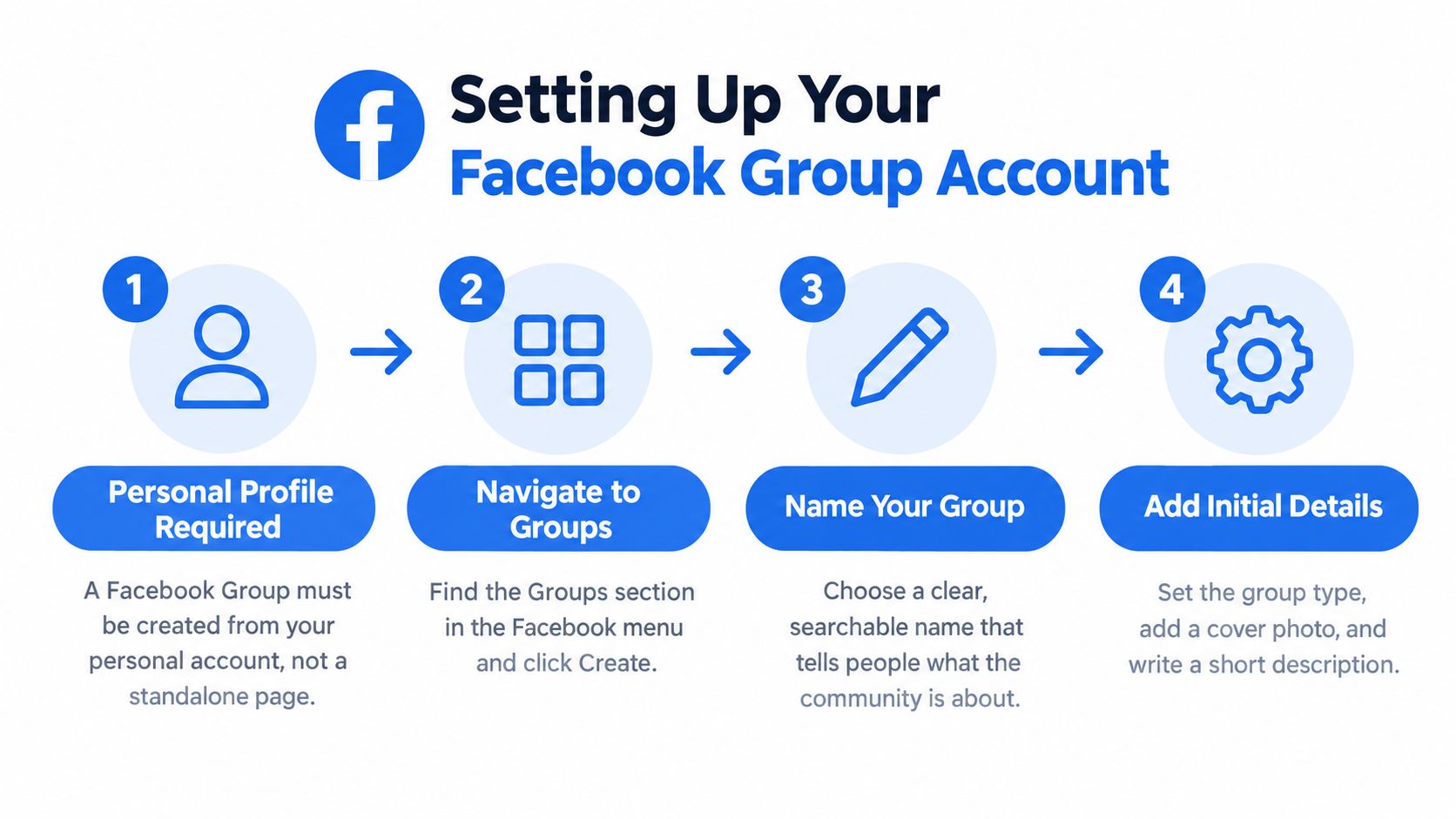
Build the basic structure before inviting people
Write a short description that answers three questions:
- Who is it for? Name the location, interest, profession, or shared experience.
- What is it for? Explain the practical benefit, such as local recommendations, peer support, or event coordination.
- What belongs elsewhere? State whether advertising, political campaigning, fundraising, or unrelated links are allowed.
Choose the privacy setting before you invite anyone. A group intended for sensitive discussion needs a different starting point from a public noticeboard, and changing the structure later can confuse members or alter their expectations. Add a recognisable profile image and a cover photo that reinforce the group's purpose. Avoid a decorative image that looks attractive but gives new visitors no clue about the community.
Prepare at least one useful post before sending invitations. A welcome message, a local resource, or a discussion prompt gives the first members something to respond to instead of presenting an empty feed. If you're also producing short-form video to introduce the community, Klap's practical Facebook Reel guide can help you prepare an accompanying launch asset without confusing the Reel with the group itself.
Finally, invite people who are relevant. Bulk-inviting every personal contact may inflate membership while weakening discussion quality, creating moderation work before the group has a clear culture.
Choosing the Right Privacy and Access Settings
Privacy is a governance decision, not a box to tick at the end of setup. It determines whether people can discover the group, what non-members can see, and how much trust members can reasonably place in the space.
| Setting | Best suited to | Practical consequence |
|---|---|---|
| Public | Open-interest communities, local information, and broad awareness | People can find the group easily, and posts may be visible beyond the membership |
| Private and visible | Defined communities that still need to attract suitable applicants | The group can appear in search, while posts and discussions remain restricted to members |
| Private and hidden | Sensitive, invite-only communities | Discovery is limited, so administrators must control invitations and access directly |
Facebook's interface and terminology can change, so check the options shown in your own account rather than relying on an old tutorial. Some older advice calls hidden groups “secret”. The important distinction is whether people can find the group and whether non-members can see its content.
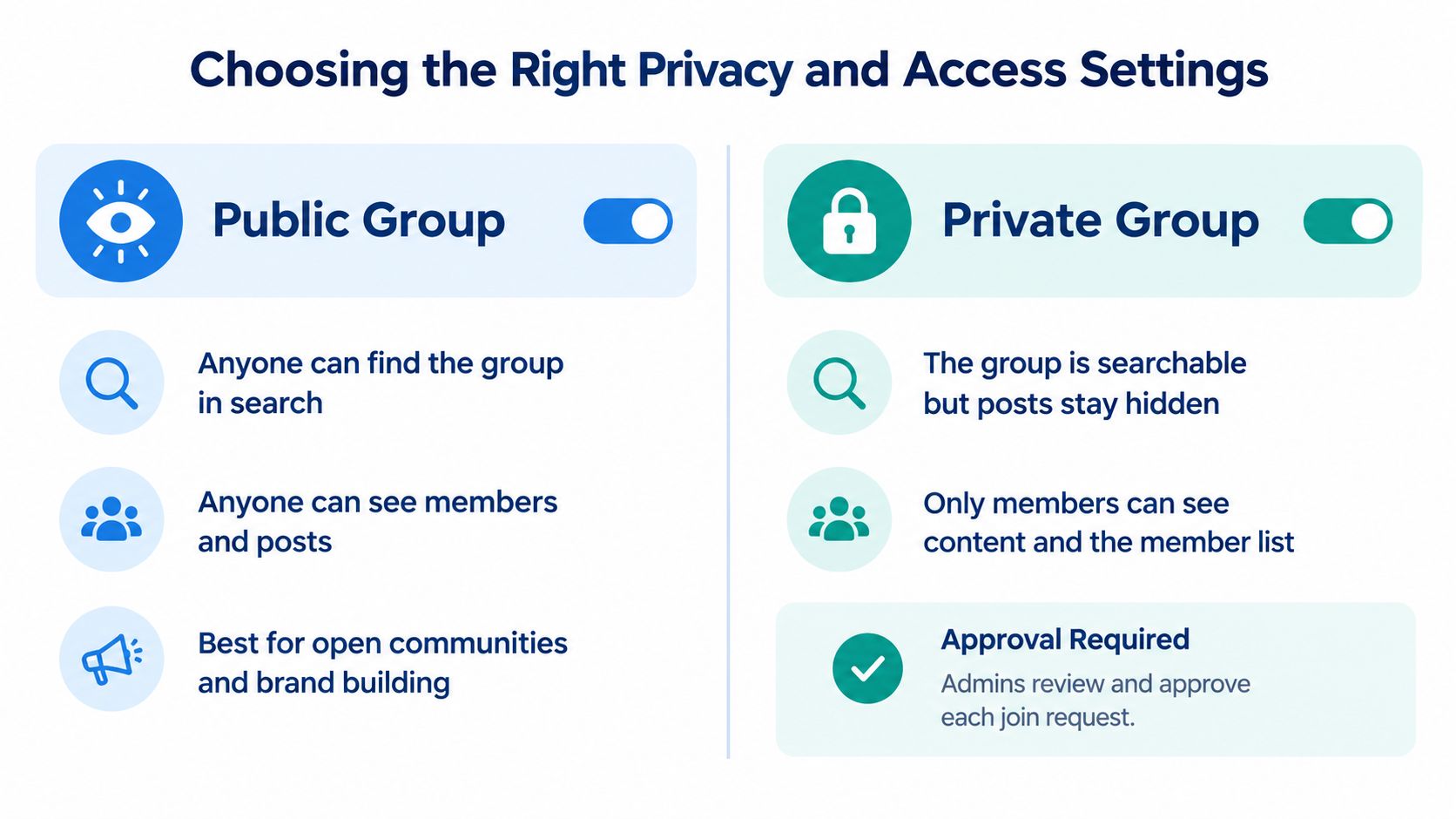
A public group suits broad broadcasting, but it can discourage members from sharing personal experiences because they know their contributions may be widely visible. A private visible group is often the practical middle ground for a local club, charity network, or professional peer community. People can search for it, read the description, and request to join, while the discussion has a clearer boundary.
A private hidden group makes sense when membership itself needs discretion or when an organiser already knows every participant. It's a poor choice for growth because suitable people can't discover it naturally.
The Local Government Association's UK guidance describes groups as useful for discussion among a defined audience and notes that local users often search by town, suburb, postcode, or ward. That makes privacy part of your local positioning, not merely a technical setting.
Defining Roles and Moderation Tools
A group with one exhausted administrator is a fragile group. The owner may handle every membership request, answer every complaint, remove every post, and become the only person who knows why a decision was made. UK nonprofit guidance recommends more than one admin or moderator, along with defined moderation hours, so requests and rule breaches receive consistent treatment. See role-based access guidance for social teams when deciding who should have access to which responsibilities.
Give each person a job
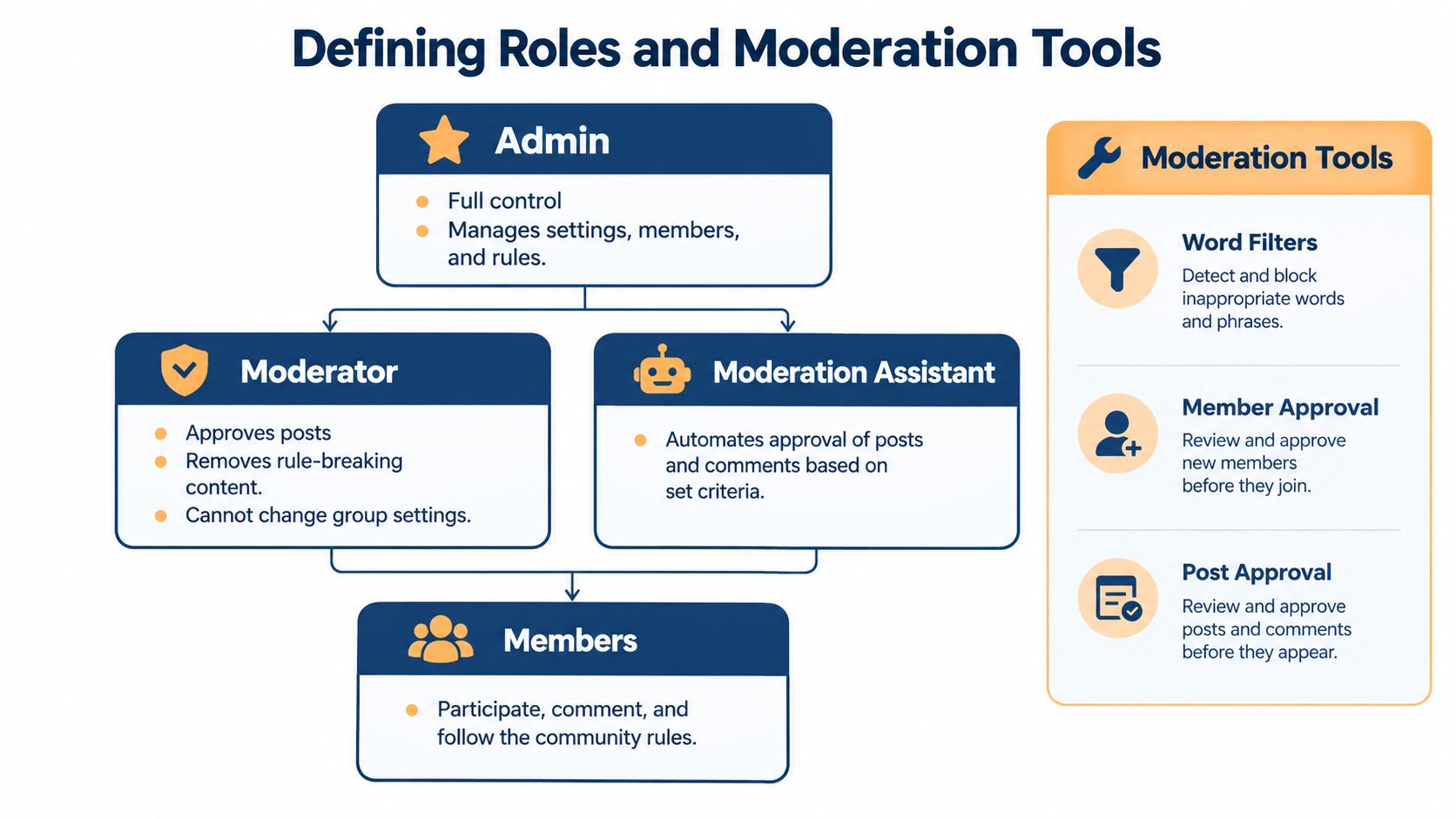
The admin controls the group's core settings, membership permissions, rules, and leadership structure. Keep this role limited to people who need broad authority and who understand the consequences of changing privacy or access settings.
A moderator handles routine community work. That can include reviewing join requests, approving or declining content where the group uses post approval, removing rule-breaking material, and explaining decisions to members. A moderator shouldn't automatically receive every administrative permission.
A moderation assistant can support repetitive checks where Facebook provides automation features. Use automated criteria to identify likely spam or restricted terms, but don't assume automation understands context, irony, or a sensitive disclosure.
Members aren't passive audience figures. They create the discussions, answer questions, report problems, and shape the tone through their own behaviour. Clear rules help them understand what participation looks like before a conflict occurs.
Create a repeatable moderation workflow
Write rules in plain language and connect each rule to an action. For example, “No personal attacks” is stronger when members also know that an abusive comment may be removed and repeated behaviour can lead to removal from the group.
Use the available tools to support, not replace, judgement:
- Membership approval: Decide who checks requests and what an acceptable answer looks like.
- Post and comment approval: Turn extra review on when the group covers sensitive subjects or attracts spam.
- Keyword filters: Flag recurring scam phrases, unsafe contact requests, or prohibited promotional terms.
- Reports and records: Keep a simple internal log of serious incidents, decisions, and appeals.
Set moderation hours and publish them if members need to know when requests are likely to be reviewed. If an urgent safeguarding or harassment concern can't wait, provide a separate contact route rather than promising constant monitoring.
Practical rule: If two moderators would handle the same incident differently, the rules need more detail.
Onboarding Members and Planning Content Strategy
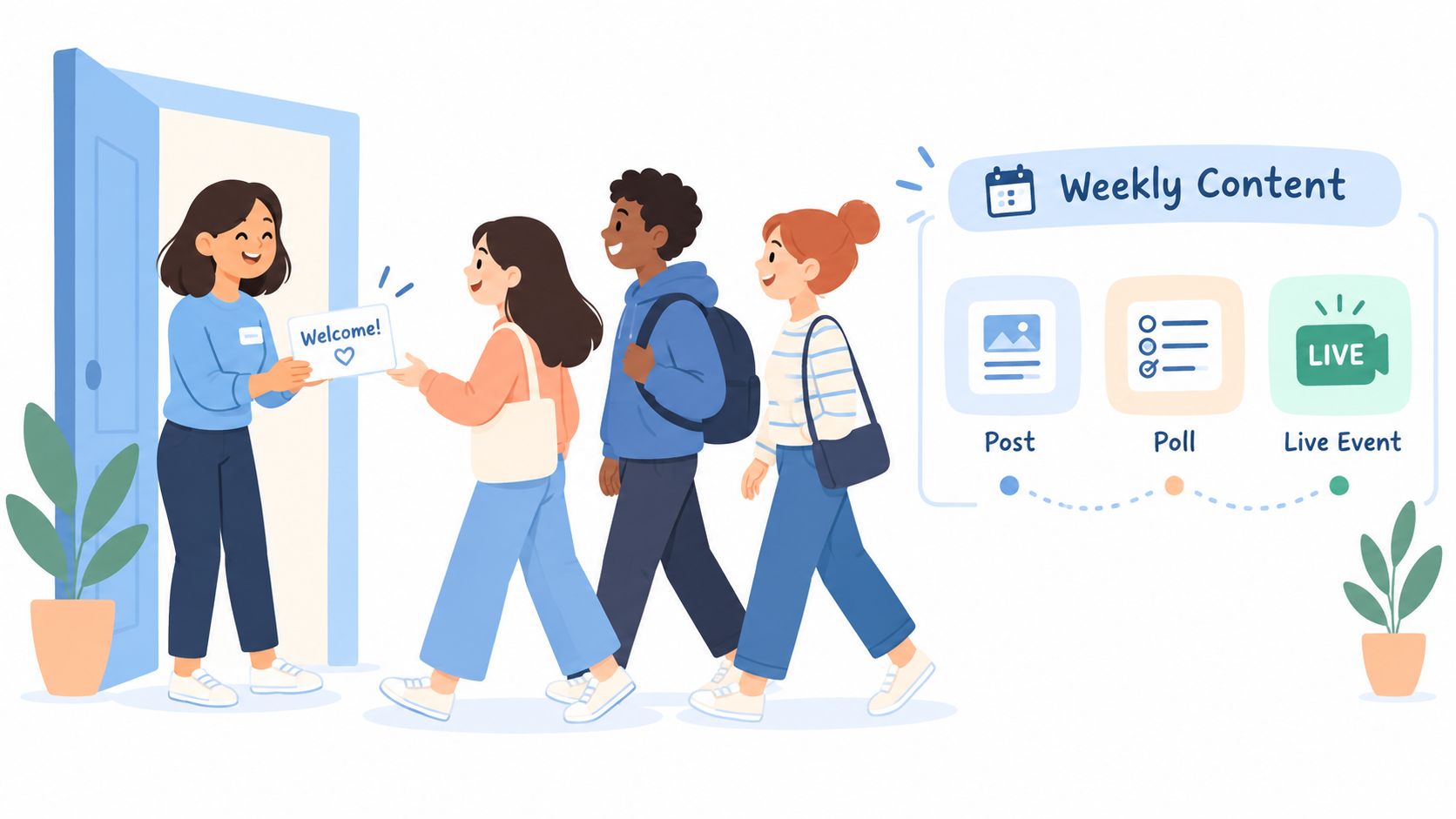
Members decide whether a group is worth returning to very quickly. A blank feed feels abandoned, while a feed full of promotional links feels extractive. Before inviting people, publish a pinned welcome post that explains the purpose, links to the rules, and gives newcomers an easy first action.
Ask membership questions that test relevance without demanding unnecessary personal information. “Which area do you live in?” may be appropriate for a neighbourhood group, while “What would you like help with?” can reveal whether someone understands the community's purpose. Don't ask for an email address or sensitive details because Facebook offers a question field.
Make the first interaction easy
A good welcome post can ask new members to introduce themselves, respond to a specific prompt, or choose from a short list of interests. Keep the request low effort. Someone who has just joined shouldn't need to write an essay before they feel included.
Seed the group with useful material before invitations go out:
- A practical resource: Share a checklist, map, event guide, or answer to a common question.
- A conversation starter: Ask a focused question with more than one reasonable answer.
- A community explanation: Show how members can request help, recommend a service, or report a problem.
- A boundary reminder: State what the group won't be used for, such as unsolicited sales or personal disputes.
Richmond CVS guidance recommends a pinned welcome post, written rules, membership questions, and at least one existing post before inviting members. It also recommends shared administrative responsibility, which matters here because onboarding creates a steady stream of small decisions rather than one launch task. Read community engagement planning guidance when turning these ideas into a repeatable publishing workflow.
Plan for conversations, not an announcement stream
Create a simple content calendar with different jobs for different posts. A recurring question can encourage replies, a member spotlight can build recognition, and a useful explainer can reduce repeated questions. Occasional announcements are appropriate, but a group that only republishes your organisation's news behaves more like a page than a community.
Keep an approval step before anything is scheduled. A second person can check that a post is accurate, appropriate for the group, and written in a way that invites discussion. This is especially important when content is adapted from another platform, because a caption written for a public brand channel may sound promotional or out of place inside a local group.
Scheduler.social can be used as one option for planning Facebook group posts, adapting content for different channels, and organising review before publication. The tool supports a visual calendar, approval workflows, and group-specific scheduling, but it shouldn't be allowed to publish sensitive or member-specific responses without human review.
The strongest content system leaves room for members to lead. Use scheduled prompts to create consistency, then reserve time to respond to what people say. If administrators fill every gap immediately, members learn to wait for official answers instead of helping one another.
Measuring Success and Managing Group Health
Member count is easy to display and easy to misunderstand. A healthier assessment asks whether the right people are joining, whether members can find useful answers, and whether conversations continue without an administrator forcing every interaction.
Track a small set of operational signals:
- Active participation: Look at who posts, comments, reacts, and answers questions, rather than counting everyone who joined.
- Conversation quality: Note whether replies solve problems, build relationships, or repeat promotional messages.
- Content reach: Compare which formats receive meaningful responses and which disappear without discussion.
- Membership flow: Review the quality of join requests, rejected applications, departures, and recurring spam patterns.
- Moderator workload: Record the time spent on approvals, reports, disputes, and member support.
A UK-facing industry benchmark places active engagement in well-run groups at approximately 5% to 15%, while also reporting that Facebook Groups reach roughly 1.8 billion monthly users globally. These figures appear in UK-focused Facebook Groups industry guidance, but they're a reference point, not a promise. A small specialist group can be healthy with fewer visible interactions than a broad public community, especially when members use it for occasional but valuable help.
Treat governance as part of performance
A group can be active and still be unsafe. UK research analysed 10.5 million posts across 1,378 community groups in 112 marginal constituencies and found activity grew by around one-third in a year, demonstrating the scale and continuing relevance of local Facebook communities. The same report on local news and Facebook groups highlights why growth increases responsibility rather than removing it.
Treat posts as effectively public, even inside a private group. Don't collect member information unless you have a clear purpose, a lawful basis, and suitable consent language. Membership questions and notices can create UK GDPR responsibilities, particularly when people disclose contact details, health information, political views, or other sensitive material.
Review your rules, permissions, filters, and incident log regularly. Use this engagement-rate calculation guide to keep measurement consistent, then pair the result with qualitative checks. A rising rate is not a success if the new activity comes from arguments, misinformation, or unchecked self-promotion. UK social media guidance also identifies local groups as important spaces for information exchange while pointing to misinformation risks, so trust and moderation should sit beside reach in every health review.
Scheduler.social helps you plan, adapt, approve, and schedule Facebook group content from a visual calendar, with workflows that support consistent publishing across other social channels. Use it to prepare recurring prompts and group-specific posts while keeping sensitive member responses under human review, then visit Scheduler.social to start organising your community workflow.