How to Calculate Engagement Rate: Social Media Guide
Master how to calculate engagement rate on social media. Get step-by-step formulas for reach, followers, & impressions, plus examples & common mistakes.
You've probably had this reporting moment before. A campaign finishes, the likes look healthy, comments are coming in, and someone asks the obvious question: was it good?
That's where many social reports go wrong. Raw interactions feel persuasive, but they don't tell you enough on their own. A post with a big engagement count could have reached a much bigger audience. In the UK, that matters even more because the audience base is already massive. DataReportal's Digital 2024 United Kingdom report says the UK had 66.33 million internet users, 57.1 million social media user identities, 93.8% internet penetration, and that 84.8% of the total population were social media users in early 2024. In a market that connected, raw likes can flatter weak content.
Engagement rate fixes that by turning activity into a comparable rate. It helps you judge whether people who saw the content, or already follow you, responded to it. Beyond that, it helps you choose the right lens for the decision you're making.
Table of Contents
- Why Engagement Rate Is Your Most Honest Metric
- The Core Formulas for Calculating Engagement Rate
- Putting the Formulas into Practice with Examples
- Engagement Rate Benchmarks for Major Platforms
- Common Mistakes to Avoid When Calculating Engagement
- How to Automate Engagement Tracking
Why Engagement Rate Is Your Most Honest Metric
Engagement rate is the metric that strips away some of the vanity in social reporting. It doesn't ask, “How many people clicked like?” It asks, “Out of the people this content had a chance to reach or influence, how many interacted?”
That distinction matters when you're comparing very different posts, channels, and account sizes. A large account can post something average and still collect plenty of visible interactions. A smaller account can publish something strong and look weaker in a dashboard built around totals alone.
The problem with surface-level numbers
If you manage more than one channel, you already know how misleading top-line numbers can be. Instagram, LinkedIn, Facebook, and X don't distribute content in the same way. Even within one platform, a Story, Reel, carousel, and text post can behave very differently.
Practical rule: If the metric gets bigger just because the audience is bigger, it's not enough for judging content quality.
That's why engagement rate is often the most useful starting point for performance discussions. It normalises interactions against exposure or audience size, which gives you a fairer comparison.
Why marketers rely on rate, not volume
A rate forces discipline. It makes you define what you're trying to measure before you celebrate the result.
Use it to compare:
- Different post formats so a high-reach post doesn't automatically win.
- Different account sizes so larger brands don't always look stronger by default.
- Different campaign types so awareness activity and community content can be judged more fairly.
- Different platforms while respecting that each one needs its own context.
The biggest mistake I see in reporting reviews is treating engagement rate as a cosmetic metric. It isn't. It's often the quickest way to tell whether content resonated, whether distribution inflated the numbers, and whether a post earned attention rather than borrowed it from a large audience.
The Core Formulas for Calculating Engagement Rate
There isn't one single universal formula. There are several valid formulas, and the right one depends on the question you're trying to answer.
Start with what counts as engagement
Before you calculate anything, define engagements consistently. In practice, that usually means the interactions the platform reports for the post, such as likes, comments, shares, saves, replies, or clicks, depending on the channel and your reporting model.
If you change that definition from one report to the next, your rate becomes unreliable. The formula can be perfect and the output can still be useless.
Choose the denominator based on the question
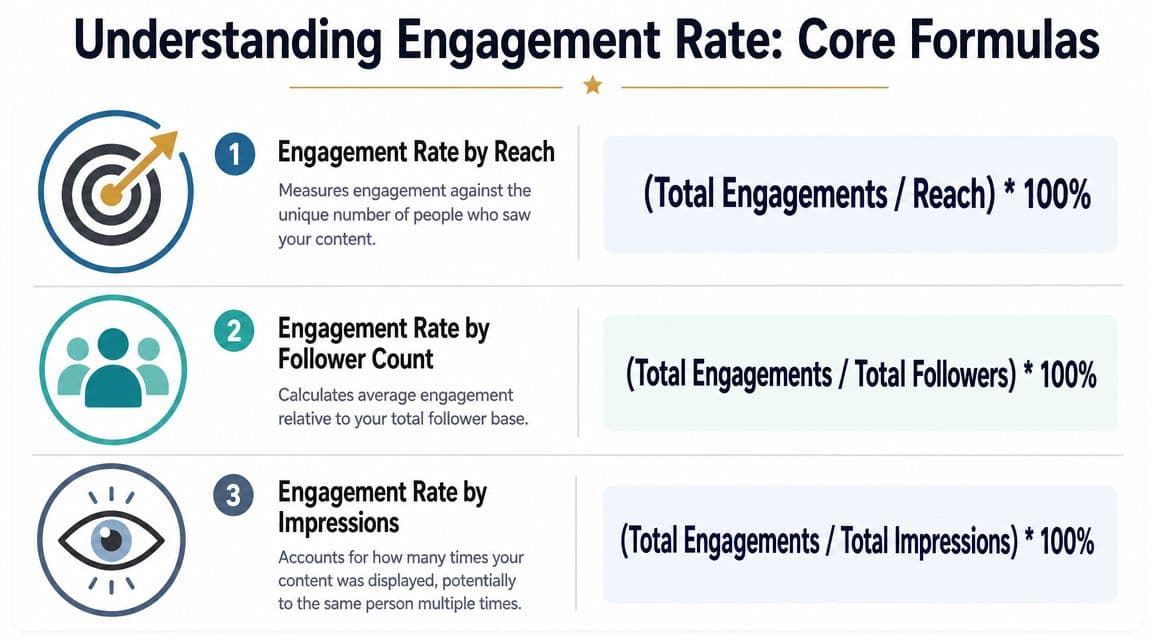
Hootsuite's guide to calculating engagement rate lays out the two most common formulas clearly:
| Formula | Calculation | Best used for |
|---|---|---|
| Engagement rate by reach (ERR) | total engagements on a post / reach of that post × 100 | How compelling the content was to the people who actually saw it |
| Engagement rate by post or followers | total engagements on a post / total followers × 100 | How strongly the post performed relative to your existing audience |
| Engagement rate by impressions | total engagements / total impressions × 100 | How efficiently exposure translated into interactions |
The same Hootsuite example shows why the denominator matters. If a post gets 240 engagements and reaches 8,000 users, its ERR is 3.0%. If that same post is measured against an account with 20,000 followers, its engagement rate by post is 1.2%. Same post. Different question. Different answer. That's exactly why learning how to calculate engagement rate properly matters.
Use reach when you want to judge content resonance. Use followers when you want to judge audience relationship. Use impressions when you want to judge exposure efficiency.
Impression-based ER is especially useful when content can be shown multiple times to the same person. If you need a refresher on how impressions differ from other visibility metrics, this guide to LinkedIn impressions is a helpful reference point.
Here is a practical way to understand:
- ERR answers, “Did people who saw this care?”
- Follower-based ER answers, “How active is this audience relative to its size?”
- Impression-based ER answers, “How much interaction did each display generate?”
None of these is automatically “best”. The strongest formula is the one that matches the decision in front of you.
Putting the Formulas into Practice with Examples
The metric then proves its worth. Once you calculate the same post in different ways, you can see how each formula changes the story.

One post, three different readings
Take a post with these inputs:
- Total engagements: 240
- Reach: 8,000
- Followers: 20,000
- Impressions: use your platform's reported total for the post
Using the verified example:
- ERR = 240 / 8,000 × 100 = 3.0%
- ER by followers = 240 / 20,000 × 100 = 1.2%
For impression-based ER, the formula is the same pattern:
- ER by impressions = total engagements / total impressions × 100
I'm keeping that one qualitative here because no verified impression count was provided for this example. But the point stands. Once impressions enter the picture, the rate often shifts again because repeated views change the denominator.
Here's how I'd interpret those results in a real report:
- A 3.0% ERR says the content did a respectable job with the people who saw it.
- A 1.2% follower-based ER says the same post engaged a smaller share of the total owned audience.
- An impression-based rate would tell you how often repeated exposure turned into action.
Those aren't competing truths. They're different cuts of performance.
Spreadsheet formulas you can use straight away
If you're tracking posts in Google Sheets or Excel, keep the setup simple. For example:
| Metric | Example cell formula |
|---|---|
| ERR | =Engagements/Reach*100 |
| ER by followers | =Engagements/Followers*100 |
| ER by impressions | =Engagements/Impressions*100 |
If your columns are fixed, that might look like:
- ERR:
=B2/C2*100 - ER by followers:
=B2/D2*100 - ER by impressions:
=B2/E2*100
Where:
- Column B = engagements
- Column C = reach
- Column D = followers
- Column E = impressions
A better reporting habit is to calculate the rate for each post first, then average those post-level rates for the period. That prevents one large post from overpowering the rest of the month.
When teams say their engagement “looks fine” but their content decisions still feel off, it's often because they're looking at the wrong denominator.
If you only remember one thing from this section, remember this: the same post can be a strong content-efficiency result and a modest audience-penetration result at the same time.
Engagement Rate Benchmarks for Major Platforms
Benchmarking is useful, but only if you stop treating all platforms as if they behave the same way.
Why platform comparisons go wrong
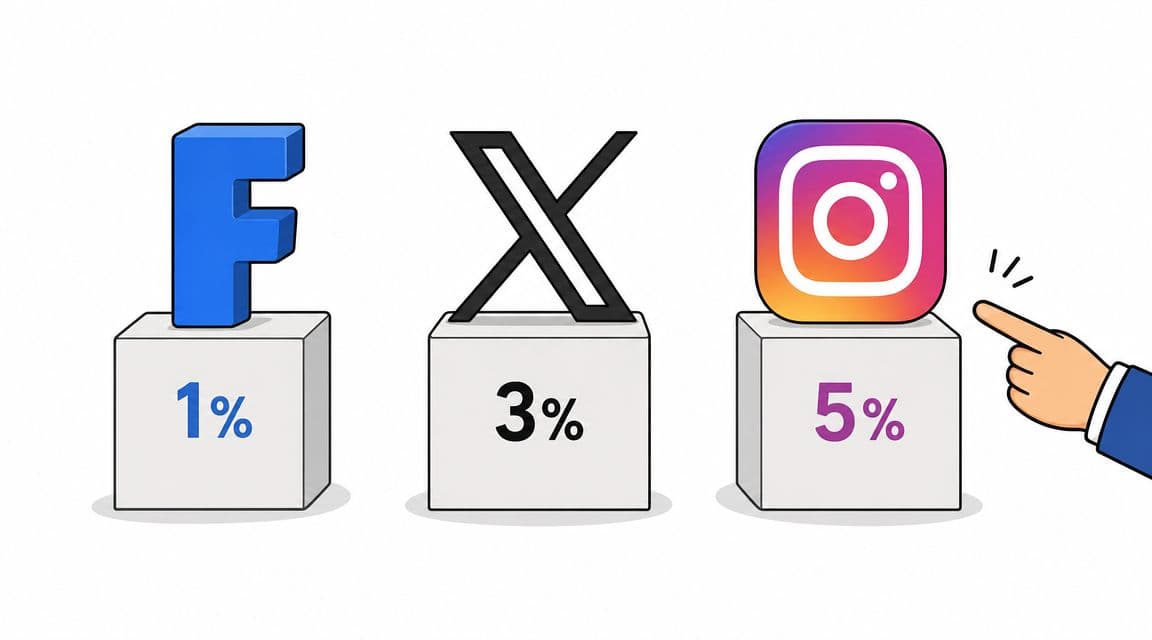
An engagement rate that feels solid on one platform can look weak on another, even when the underlying content is good. That's because feeds, user behaviour, and content formats all shape how people interact.
Instagram rewards visual participation differently from LinkedIn's professional discussion patterns. X tends to produce quicker, lighter interactions. Facebook mixes community, paid distribution, and passive browsing in a way that often changes the ratio again.
So don't ask, “Is this engagement rate good?” Ask, “Is this engagement rate good for this platform, this format, this audience, and this objective?”
If you want a quick reference point, this roundup of good engagement rate benchmarks gives useful directional context. Use it as a sense check, not a universal grading scale.
What to compare instead
The strongest benchmark comparisons are usually:
- Platform by platform, not rolled into one blended average
- Format by format, because carousels, Stories, short video, and text posts prompt different behaviours
- Organic separate from paid, because media spend changes the meaning of the number
- Current period against your own history, which is often more useful than chasing generic standards
Posting conditions matter too. Timing, audience habit, and content type all shape the outcome, which is why it helps to pair engagement analysis with a posting cadence review. This guide to the best times to post on social media is a practical companion if your rates look inconsistent.
Video can also help if you're training a team or building a reporting process. This explainer gives a useful overview:
The main discipline is simple. Benchmark within the right lane. If you compare unlike things, your “insight” is usually just noise.
Common Mistakes to Avoid When Calculating Engagement
Most engagement reporting errors aren't dramatic. They're small, routine choices that distort the result just enough to push strategy in the wrong direction.
The averaging mistake that skews reports
The biggest statistical error is averaging raw engagement counts across posts instead of averaging the per-post engagement rates. Sprout Social's Instagram engagement rate guidance explains the account-level follower formula as (total interactions ÷ total followers) × 100, while also noting that reach and impressions can be better denominators depending on the goal. It also highlights a common reporting problem: averaging raw counts biases the result towards high-reach posts. That's exactly why Hootsuite's approach of calculating per-post ER and then averaging is more reliable, as referenced in Sprout's Instagram engagement rate guidance.
Here's the practical issue. One breakout post can make a month look stronger than it was. Averaging per-post rates gives you a clearer picture of typical performance.
A dashboard that flatters your best post and hides your usual post is a dashboard that will mislead you.
Other errors that quietly break the metric
A few more mistakes show up all the time:
- Mixing reach and impressions: They aren't interchangeable. Reach is unique people. Impressions are total displays.
- Changing what counts as an interaction: If one report includes saves and another doesn't, the trend line is compromised.
- Comparing blended cross-channel rates: Behaviour varies sharply by platform and format, so normalise at the channel level first.
- Using the wrong formula for paid media: For paid campaigns, impression-based ER is usually more useful, and cost per engagement belongs in a separate line of analysis.
If the numbers feel inconsistent, the first thing to audit isn't the content. It's the method.
How to Automate Engagement Tracking
Manual calculation is good for learning. It's not good for ongoing reporting once you're managing multiple platforms, campaign windows, stakeholders, and approval cycles.

What manual reporting gets wrong
Spreadsheets break in predictable ways. Someone copies the wrong formula down a column. A reach field gets pasted into an impressions column. One team member includes saves and another doesn't. Then the monthly report lands, and everyone debates the content when the problem is the process itself.
Manual workflows also create lag. By the time the data is exported, cleaned, formatted, and sent around, the moment to react has often passed.
For teams building more connected reporting stacks, this overview of Mallary.ai's unified API developer guide is worth reading. It's a useful look at how social data collection and automation can be handled more systematically.
What a better workflow looks like
A good automated setup does four things well:
- Pulls post-level metrics consistently so the same definitions are used every time
- Calculates rates automatically at the post, channel, and campaign level
- Preserves historical data so trend analysis doesn't depend on someone's monthly export habit
- Speeds up reporting so you can spend more time adjusting strategy than formatting slides
That matters even more when publishing is already spread across multiple channels. If you're reviewing options for streamlining both execution and reporting, this guide to social media automation tools is a practical starting point.
A key benefit of automation isn't just saving time. It's reducing avoidable error. When your calculations are consistent, your decisions get sharper. You stop arguing over maths and start judging content on what it did.
If you want a simpler way to plan, publish, and review social performance in one place, Scheduler.social is built for that workflow. It helps teams organise content on a calendar, adapt posts for different channels, keep approvals moving, and track results without the usual spreadsheet sprawl.