What Is a Watermark and How Creators Use It in 2026
What is a watermark? Learn how traditional and digital watermarks work, what they protect, and how creators use them across social platforms in 2026.
A watermark can mean a physical feature formed inside paper during manufacture, a visible overlay or invisible signal embedded in digital media, or a provenance label associated with AI-generated content. These are three different technologies, not one universal mark, and each can tell you something different.
That distinction matters because a watermark can help identify a document or signal how a digital file was made, but it can't prove every claim people attach to it. Its strength depends on where the mark is embedded, how it's checked, and what happens to the file afterwards.
Table of Contents
- From Paper Mill to Pixel The Origin Story
- The Three Meanings of Watermark Today
- Seven Watermark Types Creators Actually Encounter
- What a Watermark Does Not Do The Honest Limits
- The Real Upsides and Downsides for Creators
- Adding Watermarks in Real Publishing Workflows
- Building a Layered Protection Workflow That Lasts
From Paper Mill to Pixel The Origin Story
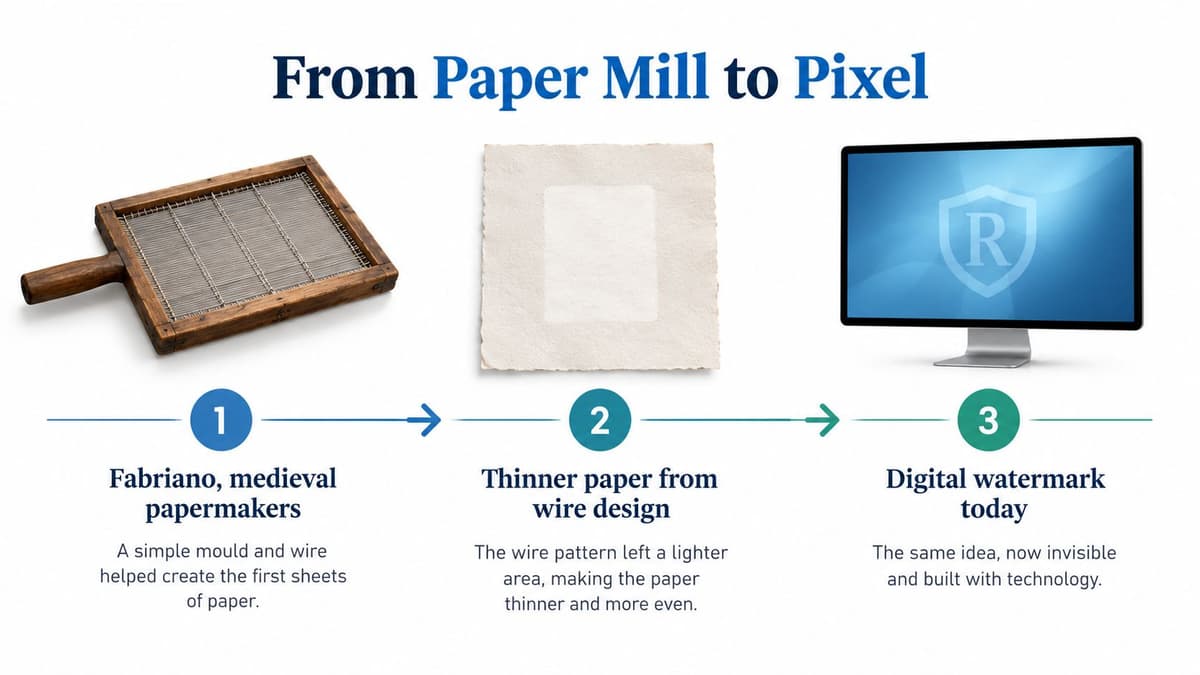
In medieval papermaking, a watermark began as part of the paper itself. Papermakers sewed a design made from wire onto the mould used to drain wet pulp. The paper formed thinner above the wire, so the finished sheet showed the design when held against light passing through it.
The earliest reliably documented watermarks are associated with Fabriano, Italy, in 1282. The earliest known English examples are attributed to Thomas Tate and date from about 1490. By the late fifteenth century, a watermark could identify a mill, indicate paper quality or sheet size, or record an owner or production date. Researchers can compare a mark's design and position, along with details such as chain-line spacing and countermarks, to investigate where and approximately when a sheet was made. The British Library describes a watermark as effectively a papermaker's signature and uses traced and digitised examples to study documents' origins and histories (British Library on the hidden story of paper).
From paper identification to security
The same physical integration made watermarks useful on banknotes. After widely publicised forgery problems affecting early Bank of England notes, watermarked paper was introduced for smaller-denomination notes from 1697. Sutton Courtenay Mill in Berkshire produced paper with a loop pattern; in 1724, the Bank transferred its paper contract to Henri Portal's mills, including Laverstoke in Hampshire, where paper with a more distinctive watermark could be produced (history of watermarks on British banknotes).
A printed imitation sits on the paper's surface. A traditional watermark is formed within it, making accurate reproduction by ordinary printing harder. A person can check it by holding the note up to the light. The feature is useful because it's integrated, not because it's impossible to copy.
That principle still applies to paper documents such as identity papers and certificates. In digital media, however, integration works differently: a mark may be layered over an image or embedded as data in a file. The word has travelled from the papermill to the screen, but the important question remains the same: what is the mark part of, and what can it establish?
The Three Meanings of Watermark Today
People use “watermark” for several different things. Start by asking what the mark is attached to and what it's supposed to communicate.
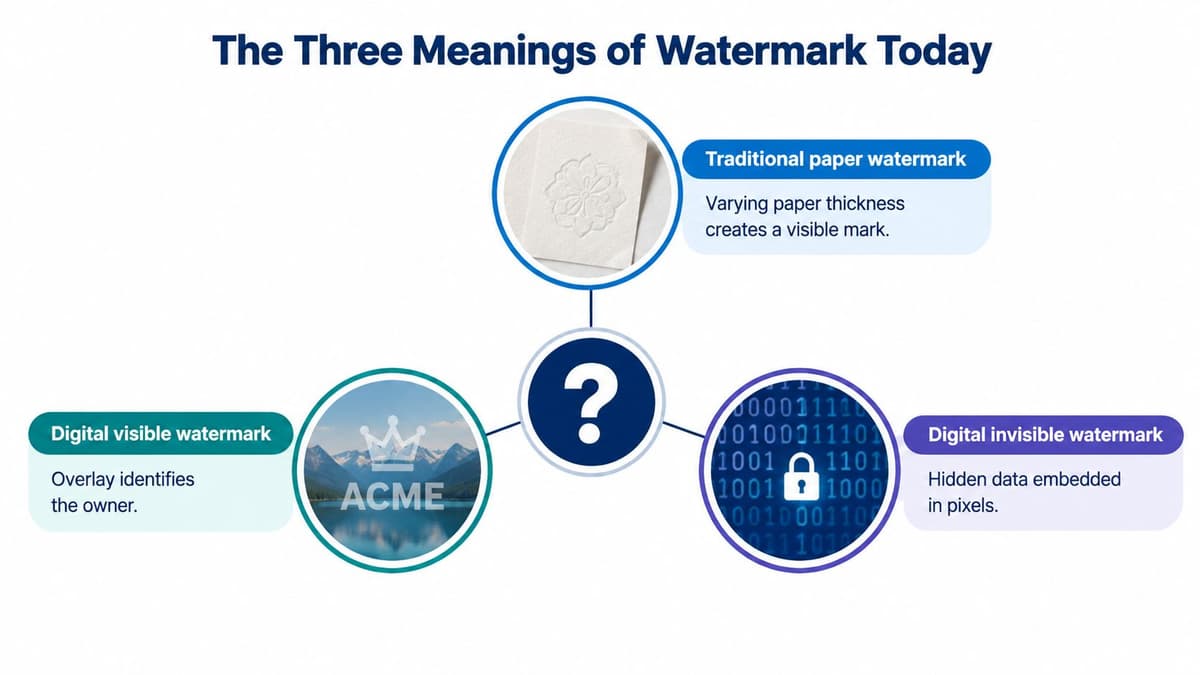
A mark formed in paper
A traditional paper watermark is created by changing the sheet's thickness during manufacture. It's usually checked with transmitted light, meaning light passes through the paper. Think of it as a pattern built into the paper's structure rather than an image printed on top. Banknotes and identity documents use this kind of feature.
UK identity-document guidance says that a genuine watermark shows subtle tonal variation, with lighter and darker areas, when viewed through transmitted light. It also says a genuine watermark shouldn't react under ultraviolet light. A surface print doesn't behave like a change in the paper's thickness (UK guidance on examining identity documents).
A signal embedded in digital content
A digital watermark is an overt or covert signal embedded in an image, video, audio file or document to identify, track or test that content. A visible logo is easy for a person to notice. A covert signal is designed to be hard to see or hear, but detectable by an authorised system.
The engineering trade-off is between imperceptibility, payload capacity and reliability. In everyday terms, the more information a mark carries or the more damage it's expected to withstand, the harder it can be to keep it invisible and the original content pristine. A watermark that survives compression may not survive cropping or editing.
A label about AI provenance
AI-related labels can be visible text, metadata or digital fingerprints that indicate that content was generated or edited with AI. These are not interchangeable: a logo tells a viewer something directly, while machine-readable provenance is designed to be checked by compatible tools.
The UK National Cyber Security Centre cautions that watermarking isn't itself a provenance mechanism. Visible marks can be removed, while covert marks depend on detectors and keys being controlled by the parties who need to verify them. Treat a watermark as one part of a workflow, not proof that a file is authentic, unchanged or owned by a particular person (NCSC guidance on content provenance).
Seven Watermark Types Creators Actually Encounter
The three broad meanings become easier to apply when you look at the formats creators and publishers meet in practice. Some marks are designed for people to see; others need software to detect them.
| Subtype | Common use | Key weakness |
|---|---|---|
| Visible digital | A logo or text over a photo preview to identify the creator or indicate that an image is for preview. | It can be cropped, blurred or removed with editing. |
| Invisible digital | Hidden data in an image or other file, checked by authorised software for tracking or testing. | Detection depends on the right system, and edits can disrupt the signal. |
| Audio | A signal in a podcast, recording or broadcast to help identify or track audio. | Processing, editing or conversion may affect detection. |
| Video | A visible or hidden mark used to identify footage or track distributed copies. | Cropping, recompression and frame edits can interfere with the mark. |
| Document | A visible stamp or embedded signal in a PDF or other document, often indicating a preview, owner or status. | A visible stamp may be removed; an embedded signal may not survive conversion. |
| AI provenance | A human-readable label, metadata or fingerprint that indicates AI was involved in making or editing content. | It can be obscured or stripped, and it doesn't establish whether the content is true. |
| Traditional paper | A feature in banknotes or identity documents that can be checked against transmitted light. | A watermark alone isn't enough to authenticate a whole document. |
A visible image watermark is the type most creators recognise: a logo placed diagonally across a preview or tucked into a corner. An invisible mark is closer to a hidden tag that only a compatible detector can read. Neither is automatically stronger; the right choice depends on whether the job is to communicate ownership to a viewer, track a file through a controlled system, or support a check.
Document watermarks can also mark access status. The National Archives places its watermark on preview images, not on purchased images, and identifies it as one way to protect high-resolution document images from unauthorised third-party downloading. It also uses resolution limits as a separate control, with 72 dpi stated as the usual web resolution (The National Archives image FAQs).
For audio and video, the same distinction applies: a visible logo is a notice, while a hidden signal is intended for detection. Don't assume a mark will survive ordinary publishing steps. To evaluate a watermarking method, test what happens after the actual processing your content will face.
What a Watermark Does Not Do The Honest Limits
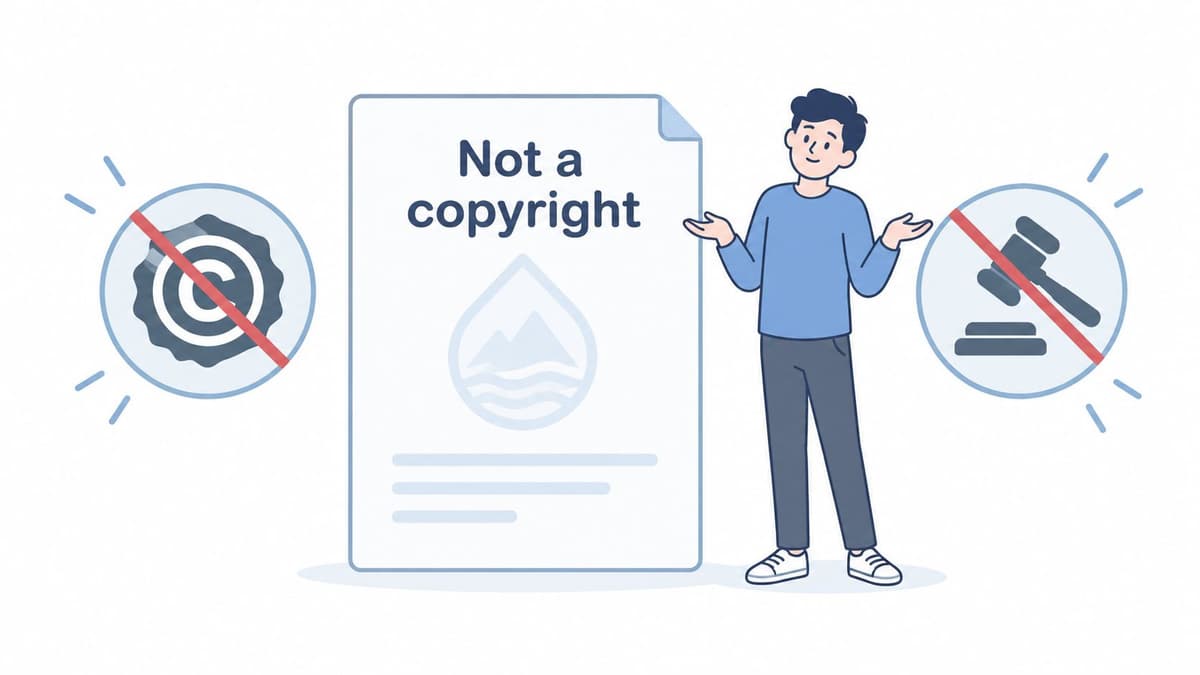
A watermark doesn't create copyright. In the UK, copyright protection arises automatically when a qualifying original work is created, with no application or fee required. Marking a work with a copyright symbol, a creator's name and a year is optional; leaving it off doesn't reduce the protection (GOV.UK copyright guidance).
A watermark can still be useful. It can identify a creator, tell viewers that an image is a preview, give legitimate users a route to ask for permission, or discourage casual reuse. But those are practical benefits, not a legal switch that creates ownership or guarantees enforcement.
Separate ownership, notice and enforcement
Ownership comes from copyright law and the circumstances in which the work was created. Notice is what the watermark communicates to people who see the file. Enforcement means keeping evidence, identifying unauthorised use and pursuing the relevant platform or legal remedy. A visible mark may support notice, but it doesn't replace licensing records, securely retained originals or a process for dealing with infringement.
The distinction matters online, where a mark can be cropped, blurred or removed, and where platforms may compress files. Embedded metadata can provide ownership details, but it can also be lost when someone downloads or re-uploads an image. UK copyright guidance says the creator will generally be the first copyright owner and warns that deliberately removing metadata identifying the copyright owner is unlawful. Images found online should generally be used only with specific permission or an appropriate licence (UK guidance on copyright and using other people's photos).
Provenance isn't truth
An AI label answers a limited question: where a file came from or how it was made or edited. It doesn't prove that a depicted event happened or that a caption is accurate. Visible labels may be cropped or obscured; machine-readable information may disappear when content moves between platforms or gets edited. UK government material also says there's currently no general legal requirement in the UK to label AI-generated content (government report on copyright and AI).
A vendor or creator who presents a watermark as conclusive proof of ownership, authenticity or truth is asking it to do more than it can. Treat a positive detection as evidence that a system found an expected signal, not as a complete verdict.
The Real Upsides and Downsides for Creators
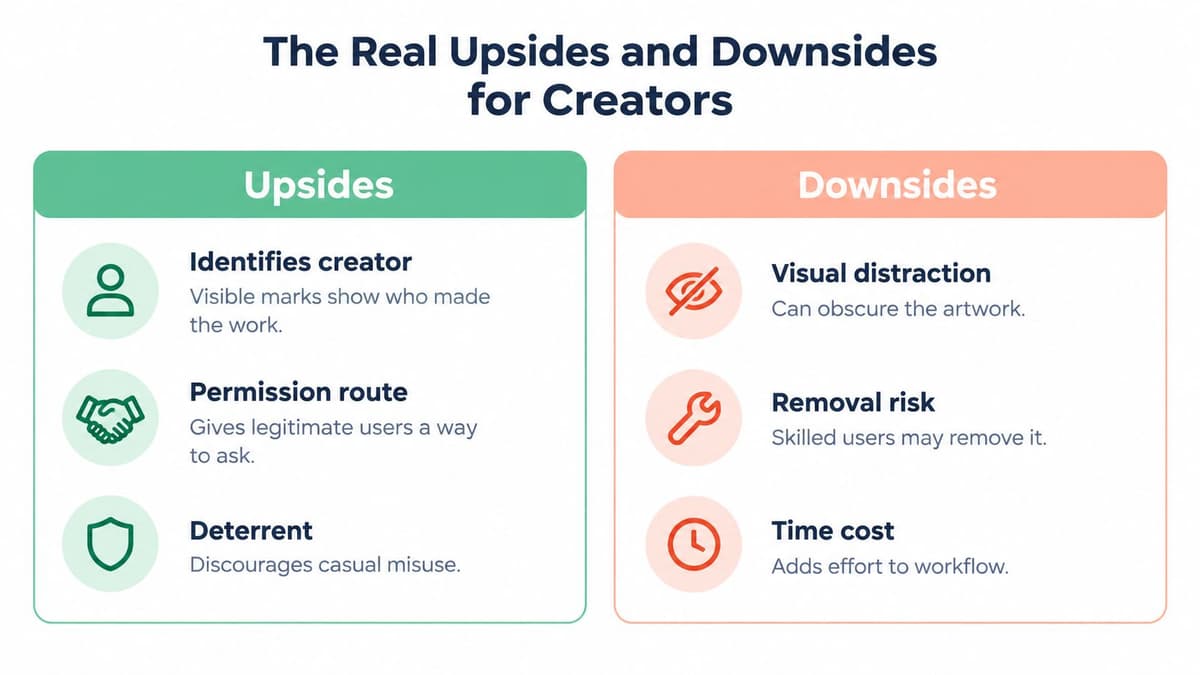
A visible watermark makes sense when the main goal is to identify a creator or mark an image as a preview. It gives people who encounter the asset a clear clue about who made it and how to ask about permission. It may deter casual reuse, especially when a viewer would need to remove the mark before sharing the image.
The cost is visual. A logo across the centre can obscure the work; a small mark in a corner may be easier to crop out. A watermark also won't stop someone from copying the file, and platform compression can alter the image in ways that affect how the mark looks.
Choose the mark for the job
For social previews, a visible mark can balance recognition with presentation. A corner logo keeps the main subject clearer, while a diagonal mark is harder to crop without affecting more of the image. A tiled pattern is more intrusive still. None is a universal best choice, so preview the result at the size and crop people will see.
Invisible signals serve a different purpose. In a controlled system, they can help trace a distributed file, but a detector and any required keys must be available to the authorised people. A mark isn't a substitute for securely retained originals, access logs or a documented verification process.
Practical rule: Use a visible watermark to communicate, not as your only technical or legal safeguard.
Watermarking also affects how teams prepare assets for different channels. A clean master can be retained for licensed use while a marked preview is adapted for social posting. If you're planning how one asset becomes several channel-ready versions, this guide to repurposing content can help you think through the publishing workflow without treating one export as the right fit everywhere.
The engineering evidence reinforces the need to test rather than assume. A University of Surrey benchmark framework lets researchers vary configurations when evaluating image-authentication and self-restoration watermarking schemes. A separate University of Edinburgh benchmark tested local image watermarks against 55 transformations and found that resilience depends strongly on the transformation: leading methods often tolerate signal distortion, while geometric misalignment and generative local edits can completely impair payload recovery. For a creator, that means checking the actual path from export to upload, including resizing, screenshots, cropping, overlays and AI-based retouching (University of Surrey watermarking benchmark work).
Adding Watermarks in Real Publishing Workflows
Creators usually add visible watermarks at one of three points: while preparing the source file, during upload to a platform that offers a stamping option, or when producing a preview for other people to inspect. Tools such as Photoshop, Lightroom, Canva, CapCut and DaVinci Resolve can be part of an editing workflow, but the exact watermark options vary by product and version. Check the tool's current documentation rather than assuming that a feature works the same way across apps.
Before exporting, keep a clean master and create a separate marked version for previews or social sharing. Choose a placement that suits the asset: a corner can be discreet, a diagonal mark is harder to crop out cleanly, and a tiled pattern makes removal more disruptive but can also distract from the work.
Make the mark part of a repeatable process
A practical checklist helps teams apply the same decisions consistently:
- Keep originals: Store unmarked master files securely so a social export doesn't become the only copy.
- Add context: Preserve ownership metadata, licensing details and contact information where the file format and workflow support them.
- Check the output: Preview the image after resizing or compression, and make sure the watermark remains legible without dominating the content.
- Keep evidence: Retain approval and licensing records alongside the asset, particularly when several people handle it.
- Test the route: Check what survives download, upload, reposting and platform processing before relying on a particular mark.
If you're learning how to place one image over another before export, this MerchLoom superimpose image guide offers a practical starting point for the editing step. It doesn't change the underlying limits: an overlay is visible notice, not a lock on the file.
Preview workflows offer another example. The National Archives applies its watermark to images users preview, while purchased images don't carry that preview mark. A watermark can therefore indicate access status as well as creator identity, with other controls, such as image resolution, serving a separate purpose.
Publishing consistently is a workflow decision too. A scheduling tool can help a team organise when and where approved assets are posted, but it doesn't replace watermarking, copyright records or provenance checks. Teams comparing approval steps across collaborators can also consult this social media approval workflow guide.
Building a Layered Protection Workflow That Lasts
A watermark works best as one visible or technical layer in a broader process. For a creator or team, that process can combine a visible notice, embedded ownership metadata, signed provenance for AI-assisted or AI-generated assets, and operational records such as securely stored originals, licences, approvals and takedown procedures.
The layers answer different questions. A visible mark tells a viewer who claims the work; metadata can carry ownership or licensing details; signed provenance can record how a file was made or edited. None of them, alone, establishes that the content is accurate or that every later copy is authorised. An organised asset library makes it easier to keep originals, approvals and published versions connected, as covered in this guide to building an asset management system.
Copyright questions also differ from registration questions. UK copyright arises automatically for qualifying work, while authors may still want to understand how rights and records apply to their own publishing practice. This overview of copyright registration for published authors offers further context, but it shouldn't be mistaken for a substitute for UK-specific legal advice.
The publishing system matters as much as the mark: check whether platforms preserve metadata, whether exports retain the intended watermark, and whether team approvals leave a useful record.
Scheduler.social is an independent directory that reviews and compares social media scheduling tools, including Buffer, Hootsuite, Later, Sprout Social, SocialBee, Metricool, Publer, Vista Social, Planable, Postiz and Typefully. Visit Scheduler.social to compare schedulers side by side, explore head-to-head matchups and platform or use-case guides, and find the option that fits your publishing workflow.