Fake Text Creator: A Practical Guide to Safe Mock Content
Learn what a fake text creator does, how to use one responsibly for social mock-ups, and the UK rules on consent, disclosure and accessibility you need to know.
You're on deadline, the client deck is open, and there's a blank phone screen where a post should be. You don't need a real conversation. You need something that looks familiar enough to explain an idea, without pretending it happened. That's where a fake text creator can help, and where it can also get you into trouble.
Table of Contents
- When a Designer Needs a Fake Tweet in Five Minutes
- What a Fake Text Creator Actually Does
- Why Realism Is Often the Wrong Goal
- UK Disclosure Rules That Apply to Mock and Paid Posts
- A Six-Step Workflow for Safe Mock Content
- Provenance, Watermarks and the Limits of Detection
- Platform-Specific Tips Before You Schedule the Real Post
- Your Pre-Publish Checklist and Next Step
When a Designer Needs a Fake Tweet in Five Minutes
A designer is mocking up a campaign in Figma and needs a tweet that fits the layout. Copying a real post feels quick, but it borrows a real person's words, avatar, and handle. Typing lorem ipsum looks unfinished. So she searches for a fake tweet maker, adds invented copy, and drops the image into the deck five minutes later.
You've probably seen the same need in other forms. A teacher wants a fictional WhatsApp exchange for a safeguarding lesson. A creator wants a made up DM for a comedy sketch. A product team needs sample messages to test whether a chat screen overflows on a small phone.
The tools behind the shortcut
The category is broader than one website. It includes chat screenshot generators, fake tweet and mock SMS tools, Instagram and iMessage mock ups, and AI helpers that draft captions, replies, or short posts. Some place your words inside a familiar platform layout. Others also suggest the wording, tone, and length.
If you're drafting a follow-up post, check the length separately with a Twitter character counter for X posts. A mock tool may make text fit visually even when the platform would cut it, wrap it differently, or hide part of it behind an interaction.
A mock post is a design sample, not evidence that anyone said, sent, or endorsed anything.
This guide won't help you impersonate someone, fabricate proof, create scam messages, or pass off fictional reviews as real. Search results for this topic mix harmless design shortcuts with those harmful uses, often on the same page. The difference isn't only the tool you pick. It's the names, claims, context, and labels you attach to the output.
That distinction gives us a useful working rule. Use a fake text creator to show how content could look. Don't use it to make readers believe content exists when it doesn't. With that line clear, the practical questions become easier. What exactly are you making, who will see it, and what could they reasonably infer from it?
What a Fake Text Creator Actually Does
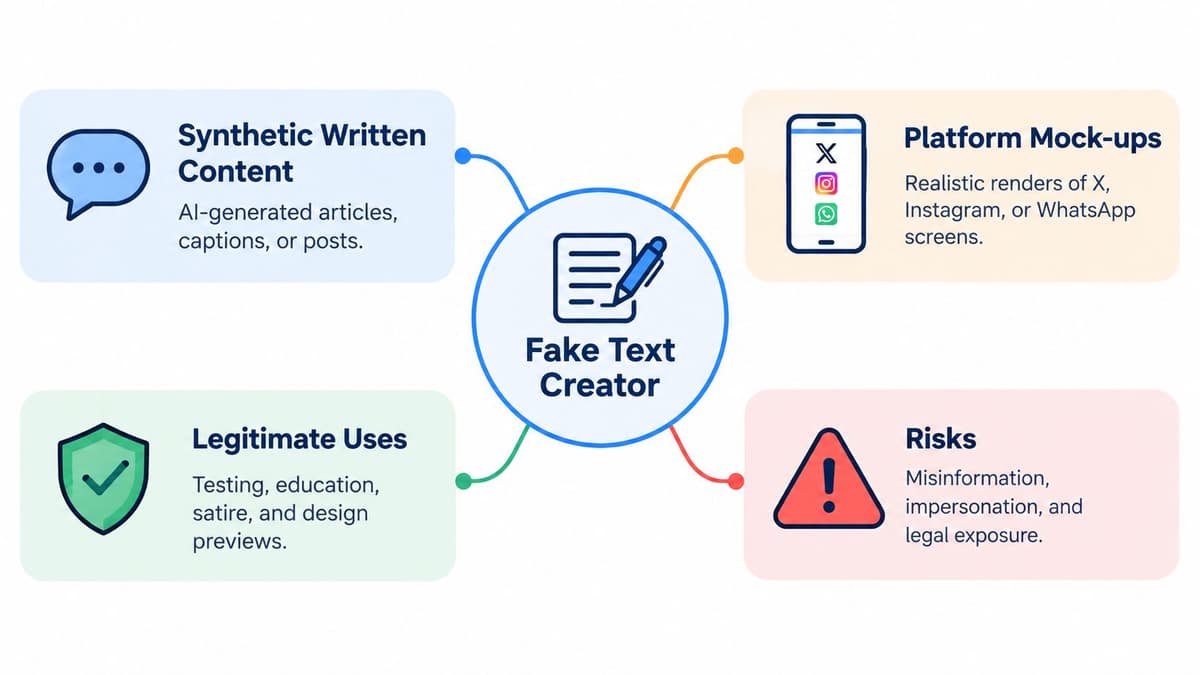
A fake text creator produces synthetic written content, or a synthetic looking rendering of a known platform, for a purpose other than genuine publication. It might imitate X, Instagram, WhatsApp, iMessage, LinkedIn, or a review page. The output is meant to stand in for real content during design, education, testing, parody, or planning.
Mental model: You're building a stage prop, not publishing a post.
That's different from a general AI writer, which produces fresh prose you might edit and publish as your own work. It's also different from a chatbot, which responds in a live conversation. If you're exploring conversational personas rather than static mock ups, a private chat persona guide can help you see how tone and character are constructed, but it doesn't turn a fictional exchange into a real one.
Two sub types you'll encounter
- Text only generators: These invent the words, such as a sample caption, customer reply, review, or short article. You'd use one to test tone before a campaign, then rewrite anything you plan to publish.
- Visual mock generators: These place invented copy inside a platform interface. You'd use one for a deck slide showing how an announcement might appear in a feed.
The wording matters even when the layout looks playful. In Ofcom research conducted from 27 June to 2 July 2024, 43% of UK adults had encountered misinformation or deepfake content in the previous four weeks, and 71% of people who encountered false material said they'd seen it online. Written misinformation sits alongside deceptive images and video in that picture.
So don't judge a tool only by how closely it copies fonts, ticks, bubbles, and timestamps. Judge it by whether it lets you control names, remove logos or handles, add a visible sample label, and export an accessible version. Those controls decide whether the result stays a prop or starts behaving like a forgery.
Why Realism Is Often the Wrong Goal
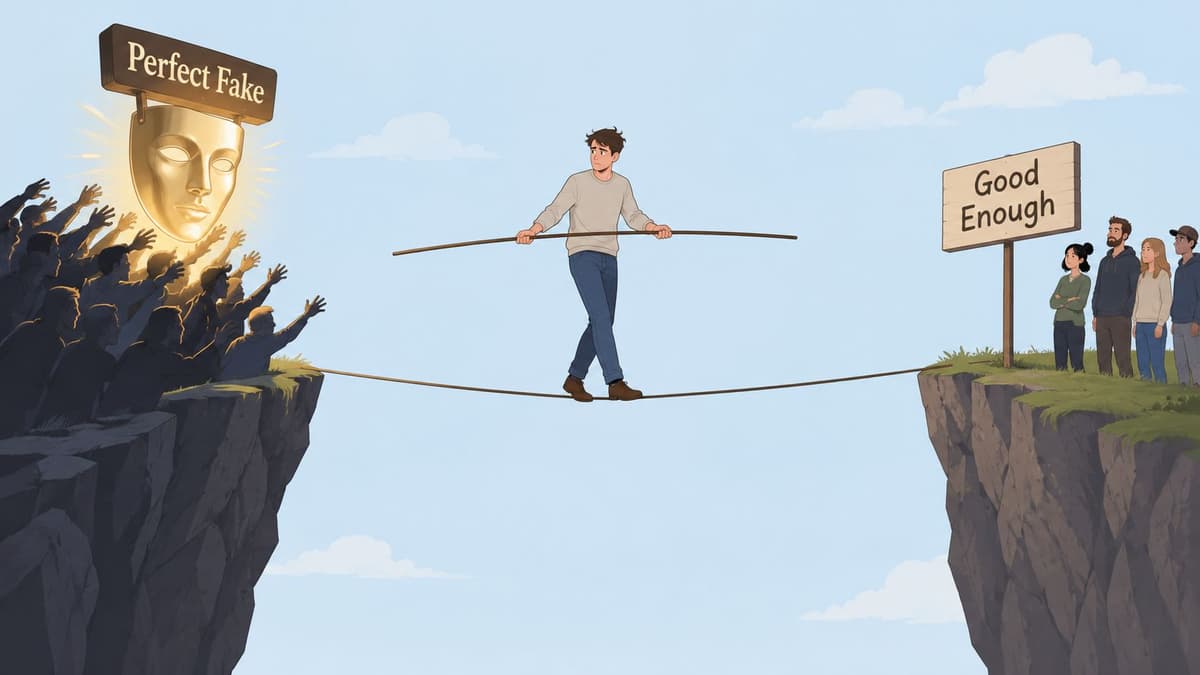
Most guides treat realism as the prize. Hide the joins, match the timestamp, copy the verification mark, make nobody question it. For legitimate work, that advice is backwards. The more your mock can pass as a real post once it's cropped, forwarded, or stripped of context, the more risk you've built into an otherwise harmless asset.
Human detection won't rescue you. In a 2023 study covered in Ofcom's work on generative AI and media literacy, linguistics experts correctly identified AI generated research abstracts only 28.9% of the time, an error rate of about 71.1%. If specialists struggle with longer text, a hurried viewer has little chance with a short screenshot.
Other UK findings point the same way. The verified research describes people who feel confident spotting misinformation but miss warning signs in practical tests. You don't need to memorise every figure to understand the consequence. Plausible presentation often beats caution, especially on a phone screen.
Aim for credible, not undetectable
The better target is credible looking content with obvious fictional markers. Keep the spacing, hierarchy, and tone recognisable enough for your audience to understand the example. Then break the illusion on purpose with a clear Mock, Sample, or Fictional example label, an invented handle, and details that don't point to a real person.
- Product demos: A label shows investors or clients they're viewing a scenario, not live customer activity.
- Training material: Obvious fiction lets staff discuss a risky message without using a real complaint or private chat.
- Comedy and parody: A visible cue helps the joke travel without becoming a false quote.
- UX testing: Placeholder names and messages reveal layout problems without exposing user data.
Think about the screenshot after someone removes your caption. If it still reads as a bank alert, celebrity endorsement, news post, or private confession, it's too realistic for the job. Reduce the borrowed authority, not the clarity. Your audience should understand the example in seconds and its fictional status just as quickly.
UK Disclosure Rules That Apply to Mock and Paid Posts
A fictional format doesn't cancel advertising duties. In the UK, a social media post must be clearly identified as advertising when you have a commercial or personal connection with the brand. That connection can involve payment, commission, free or discounted products, gifts, loans, discounts, or another incentive. It applies regardless of follower count, including when you're promoting your own brand.
Consider a gifted lipstick. You weren't paid cash and nobody approved your caption. You still received a benefit connected to the brand, so you shouldn't present the post as if it were a purely independent find. The same caution applies to a brand trip, a free service, or a review built around a product you didn't buy.
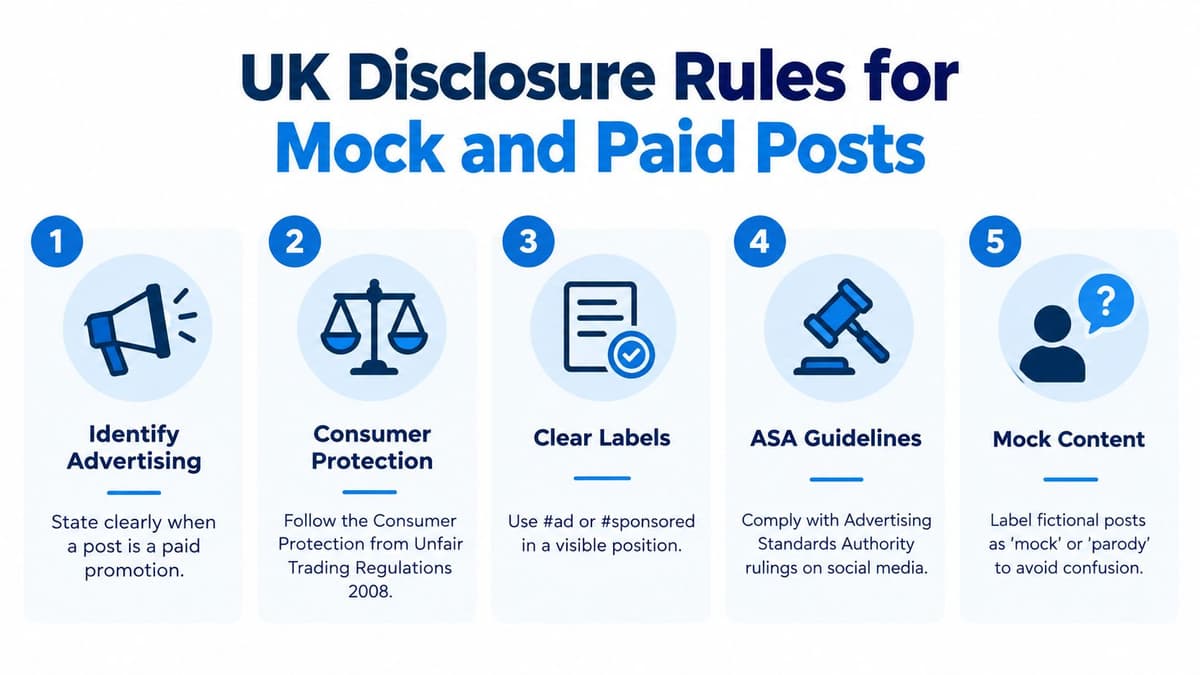
Affiliate arrangements catch people out because no fixed sponsorship fee changes hands. The ASA describes affiliate marketing as earning commission for clicks or sales through a personalised link or code, and says consumers must recognise the advertising nature upfront. A discount code by itself isn't a clear explanation.
Where the label belongs
Put Ad at the beginning, where viewers see it before they read, watch, or tap for more. Don't bury it after a caption break, inside a cluster of hashtags, or only in your biography. Vague wording such as thanks to the brand or partner can leave the commercial relationship unclear. A straightforward, prominent label is safer.
Both the brand and the creator share responsibility for making a commercial relationship clear.
The ASA guidance on recognising advertising on social media also points to responsibilities that can involve the Competition and Markets Authority or Trading Standards. Whether content is tightly controlled by a brand doesn't automatically remove risk. Look at the relationship and the impression created, not just who pressed publish.
Mock content adds a second test. If you stage a fictional brand DM for satire, viewers might still think the brand sent it or endorsed the claim. Label the fiction clearly. If there's also a real commercial connection, disclose that too. Mock explains invention. Ad explains promotion. One label doesn't replace the other.
A Six-Step Workflow for Safe Mock Content
Start with the decision, not the generator. A safe workflow forces you to say why the mock exists, who could be harmed if it's misunderstood, and how its fictional status will survive sharing. You can apply the same sequence to a campaign deck, lesson, product prototype, or comedy post.
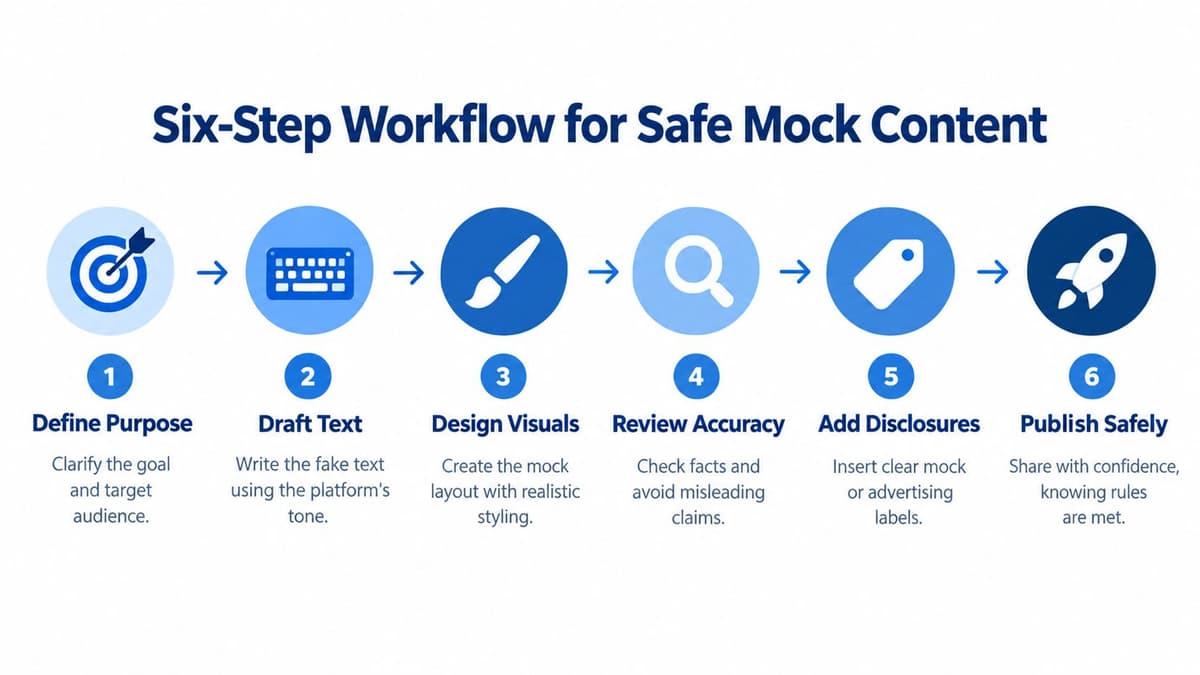
Steps 1 to 3
- Define purpose and audience: Write one sentence, such as showing a client how a launch reply could look. If the aim is to convince viewers an invented event happened, stop and redesign the brief.
- Draft in the platform's tone: Keep it short, ordinary, and specific to the scenario. If you later turn an idea into genuine copy, an AI social media content generator workflow is separate from making a fictional screenshot, and the draft still needs fact checking and editing.
- Add fictional markers: Use invented people, placeholder handles, and a visible Sample conversation banner or watermark. Don't copy a real person's photograph, private wording, bank format, or emergency message.
Steps 4 to 6
- Make it accessible: Add alt text that explains the image is fictional and repeat the important message in the caption or transcript. Name each speaker in plain language and explain timestamps if they matter.
- Disclose commercial links: Add Ad upfront when payment, gifting, commission, your own brand, or another material connection is involved. Place the fictional label on the asset itself, not only in surrounding copy.
- Keep a simple log: Record the prompt or source text, tool, date, edits, reviewer, consent position, and where the asset was used. Save the unlabelled working file separately from the approved public version, and restrict who can share it.
Take a safeguarding example. A teacher creates two invented pupils, removes school branding, labels the slide as fictional, and reads the exchange aloud from a transcript. The class can discuss pressure and manipulation without seeing a real child's messages. That's the workflow doing its job. The mock is recognisable, useful, and visibly not evidence.
Provenance, Watermarks and the Limits of Detection
A label tells a person what they're looking at. Provenance helps a system check where content came from and how it changed. Those two controls work best together, especially when a mock leaves your deck and starts moving between platforms, inboxes, and group chats.
The UK government's deepfake detection research describes provenance as more robust than purely linguistic detection because an identifier can be embedded during generation and verified computationally, citing SynthID as a watermarking system. Instead of guessing from style, a reviewer can look for a signal designed into the output.
Signed metadata can carry the generating system, creation time, transformation history, and publisher identity. A visible disclosure can point to that record without exposing a private prompt or personal data. If you're unsure how visible marking differs from embedded information, an explanation of what a watermark is is a useful starting point.
Build an audit trail you control
- Generation details: Save the tool or model name, date, prompt, and source material.
- Editorial changes: Note who rewrote, cropped, translated, or approved the asset.
- Disclosure record: Keep the final label, alt text, caption, and publication context together.
- Consent note: Record permission for any real identity, likeness, or private material. If you don't have it, fictionalise the asset properly.
Don't treat an AI detector score as proof. Short, edited, translated, or deliberately voiced text gives detection tools less to work with. Provenance also has limits. Copying and pasting, screenshots, retyping, and adversarial editing can strip or weaken the signal.
Audit principle: Preserve the record at creation. You can't reconstruct trust reliably after publication.
For that reason, provenance supplements source checking, consent checks, and human review. It doesn't replace them. Prefer tools that provide generation logs, exportable labels, and review controls. Be cautious with a fake text creator that offers only an opaque indicator and no record you can inspect later.
Platform-Specific Tips Before You Schedule the Real Post
A mock that reads clearly on LinkedIn can become misleading on TikTok, where captions move quickly and context is easier to crop away. Platform norms affect where people notice labels, how alt text is exposed, and whether parody is understood. Check those details before you choose a scheduler or plan the genuine campaign.
Ofcom's 2025 qualitative work, summarised in its strategic approach to AI for 2025 and 2026, found that UK users associate synthetic media with misinformation, false endorsements, scams, and non-consensual pornography. Participants said labels could encourage caution, but understanding and responses were mixed. That mixed response is exactly why one small label in one place isn't enough.
| Platform | Alt-text norm | Parody handling | Disclosure expectation |
|---|---|---|---|
| Add alt text and repeat key image text in the caption. | Put the fictional cue on the first image, not only later in a carousel. | Place Ad visibly at the start when there's a commercial link. | |
| Provide a transcript for screenshot style graphics. | Professional context makes invented endorsements especially risky. | Signal sponsorship or your own brand connection early. | |
| X | Describe speakers and meaning, not only appearance. | Cropped screenshots travel fast, so keep the marker inside the image. | Don't rely on a reply or biography to explain promotion. |
| TikTok | Check captions and repeat essential text in the description. | Say it's fictional on screen and in audio where practical. | Make the commercial nature clear before the pitch begins. |
| Add alt text and avoid text only graphics where possible. | Shared posts can lose your surrounding explanation. | Keep Ad prominent for gifted, affiliate, or paid content. |
For the post, compare tools by platform rather than assuming one workflow fits everywhere. Scheduler.social's directory pages for Instagram, TikTok, LinkedIn, X, and Facebook can help you shortlist options such as Buffer, Hootsuite, Later, Metricool, or Planable. The directory doesn't publish for you. It helps you compare products before you choose. Prices and features can change, so check each tool's own site before deciding.
Keep one rule in mind per platform. Instagram, label the first frame. LinkedIn, never invent authority. X, protect against cropping. TikTok, repeat the cue in more than one channel. Facebook, assume the post will be shared away from your caption.
Your Pre-Publish Checklist and Next Step
Pause before export and read the asset as a stranger would. They've never seen your brief, don't know your intentions, and may encounter only a cropped image. If they could reasonably think a real person said it, a brand approved it, or an organisation sent an urgent instruction, revise it before anyone shares it.
The stakes aren't theoretical. Which? research, cited in the ASA influencer guidance document, estimates 14% of UK adults personally experienced a scam in the previous year and about £960 million was lost between August 2024 and August 2025. Credible looking messages are part of the wider environment in which scams work, so clear fictional markers are a practical safety feature.
Check these points in order
- Purpose: Can you state a legitimate design, education, testing, or parody purpose in one sentence?
- Identity: Are names, photographs, handles, and private details invented, or do you have explicit consent?
- Fictional marker: Does Mock, Sample, or Fictional example remain visible after cropping?
- Accessibility: Have you supplied alt text, speaker labels, readable contrast, and a caption or transcript?
- Disclosure: Is Ad upfront if payment, gifting, commission, a discount, or your own business is involved?
- Record: Have you saved the tool, date, edits, reviewer, consent position, and approved final version?
If you need to explain at length why nobody should mistake it for reality, the asset is probably still too realistic.
When you're ready to publish the genuine campaign, use the full scheduler directory to compare tools, head to head scheduler comparisons to narrow a shortlist, and use case pages for agencies, approval workflows, or AI writing. Scheduler.social is an independent directory, not software that schedules or publishes posts. Tools in the directory include Sprout Social, SocialBee, Publer, Vista Social, Postiz, and Typefully, each with different strengths and trade offs.
That approach keeps invention and publication separate. The fake text creator helps you rehearse, explain, or test. Your labels, records, and review process stop the rehearsal from looking like an actual event.
Before you schedule the actual campaign, visit Scheduler.social to compare independent reviews, platform support, and use case fit across leading social media schedulers. Use its directory and head to head comparisons to shortlist the right tool for your team, then check current pricing and features on the provider's site before you commit.