Schedule Posts Twitter
Schedule posts twitter. Learn how to schedule posts on Twitter with confidence. Covers native tools, third-party schedulers, threads, polls, UK timing
You've got drafts in one tab, a campaign calendar in another, and breaking news rolling across the television in the corner of the room. In twenty minutes, your queue is set to publish a cheerful sales post that'll look tone-deaf if it goes out unchanged. That is the core problem with learning to Schedule Posts Twitter audiences will see. The mechanics take minutes. Building a routine that doesn't embarrass you takes thought.
Table of Contents
- Why Scheduling Posts on Twitter Needs a Plan
- Using the Native X Scheduler Step by Step
- When a Third-Party Scheduler Earns Its Place
- UK Timing That Actually Beats Guesswork
- A Pre-Publish Checklist That Catches the Embarrassing Stuff
- Approval Workflows for Solo Creators, Agencies and Regulated Brands
- Putting It All Together and Picking the Right Tool
Why Scheduling Posts on Twitter Needs a Plan
Scheduling posts usually begins because you can't be online all day. That's fair, but it's an incomplete reason. A queue without a review habit just moves mistakes earlier in the week, where you forget about them until someone screenshots the result.
You've got two practical routes. X's native scheduler handles a single account and straightforward posts inside the platform. A third-party scheduler adds a shared calendar, bulk queues, approval states and multi-account control. Neither route is automatically better. Your volume, team size and tolerance for risk decide that.
Why the UK context changes the decision
Don't treat X as a uniform global audience. Ofcom measured X's average monthly UK adult reach falling from 27.9 million in 2021 to 22.2 million through August 2024, a drop of 5.7 million, or approximately 20.4%, in Ofcom's Online Nation 2024 report. The same measurement recorded daily UK adult reach of 9.8 million on 5 July 2024, immediately after the UK general election, in that report.
That combination matters. Reach is still substantial, so scheduling is worth doing. Reach is also shrinking, so you can't assume last year's routine still earns the same return. Measure by segment, timing and engagement instead of defending a habit.
If you're planning the content itself before it ever reaches a queue, the starryai social media content guide is a useful companion for thinking through formats and production. Good scheduling can't rescue weak posts. It can only publish them punctually.
Scheduling saves time only when someone owns pausing, reviewing and resetting the queue. Without an owner, you've automated the risky bit and manualised nothing.
My recommendation is blunt. Start native if you're solo and posting occasionally. Move to a tool when threads, approvals, several accounts or bulk campaigns start costing you real hours. In both cases, keep three disciplines from day one, UK timing tests, a pre-publish check and clear permission to publish.
Using the Native X Scheduler Step by Step
Start here before you pay for anything. The native route teaches you what you need, and for plenty of solo creators it's enough.
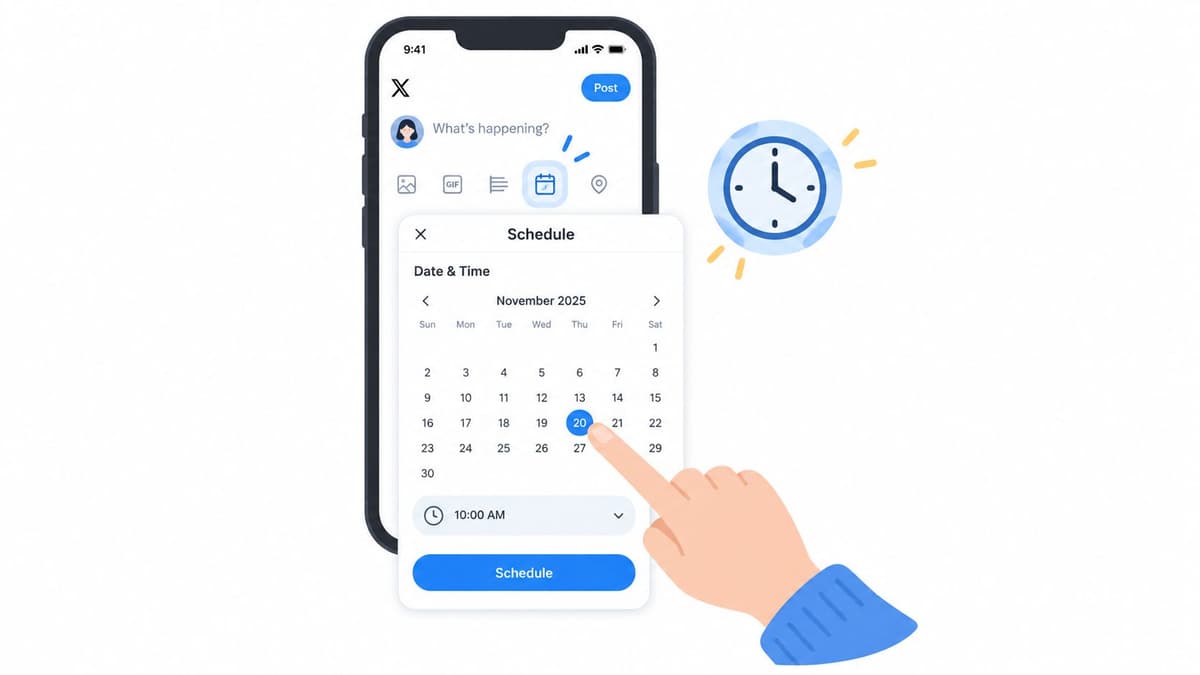
The basic sequence
- Compose your post: Write it in the X composer exactly as you'd publish it live, including media and links.
- Open the calendar icon: X's composer lets you schedule by selecting the calendar icon, choosing a future date and time, and confirming the selection, as set out in X's guide to posting.
- Confirm, then schedule: Check the date reads as you intended, especially if you're queuing across a weekend or a bank holiday.
- Find it later in Unsent posts: Scheduled posts and drafts live together there, so you can edit or delete them before publication.
Know the ceiling before you draft around it. A standard post allows up to 280 characters and up to four total media items, including photos, GIFs or video, under the same X posting guidance. That limit shapes copy more than people admit. If your idea needs five images and three caveats, it's a thread or a different format, not a tighter font in a screenshot.
Where the native route works, and where it doesn't
It's well suited to one account, a handful of evergreen posts each week, and quick rescheduling when plans change. There's no extra login, no connected app to audit, and no learning curve for a colleague covering your holiday.
It runs out of room fast for teams. You don't get a proper shared calendar view across accounts, separate draft and approval states for different people, or bulk uploading for a campaign. Composing long threads and reviewing them as a reader will see them is also clunkier than it should be.
Practical rule: If you're copying posts into a spreadsheet to remember what's queued, you've outgrown the native scheduler.
Don't mistake that for failure. Use the native scheduler to prove your cadence and timing tests for a month. If the process holds and volume grows, you'll shop for a third-party tool with a real list of needs instead of a vendor's feature page.
When a Third-Party Scheduler Earns Its Place
A third-party tool earns its keep when it removes work you can name. If you can't name that work, you're buying a nicer calendar.
The jobs that usually justify the switch are concrete. Composing and queuing threads in one view, scheduling polls with media, adding alt text consistently across many images, and bulk-uploading a campaign queue instead of typing posts one by one. Add team needs and the case gets stronger, separate draft, pending approval and published states, plus several X accounts managed from one calendar without account-switching errors.
How to compare without guessing
Scheduler.social is an independent directory that reviews and compares scheduling tools. It doesn't publish your posts. Start with the full directory of social media schedulers to see the field, then narrow it with head-to-head scheduler comparisons when you've got a shortlist of two or three.
For this specific job, the best schedulers for X and Twitter filters the field by platform support. If your bottleneck is people rather than volume, schedulers for approval workflows and schedulers for agencies are more relevant starting points. Solo operators should look at schedulers for solo creators before paying for team features they'll never switch on.
Names you'll encounter across those pages include Buffer, Hootsuite, Later, Sprout Social, SocialBee, Metricool, Publer, Vista Social, Planable, Postiz and Typefully. Treat that as a comparison set, not a ranking. A thread-focused writer and a multi-client agency shouldn't end up with the same answer, and honest reviews will show trade-offs on both sides.
Work through a social media scheduling software buyer checklist before you commit, and check each tool's own site for current pricing and feature limits because both change. Don't rely on any review page, including a good one, as your only source for what a plan includes today.
One warning. A tool can make repetitive publishing dangerously easy, and I'll return to the spam risk later. Buy for workflow control, not for the ability to blast identical copy everywhere faster.
UK Timing That Actually Beats Guesswork
Ignore universal best-time claims. They average away your audience, your sector and your country. Use UK data as a starting hypothesis, then test it on your own account.
Comscore reported 21.3 million UK unique visitors in June 2025 in Comscore's UK best times to post analysis. Its June 2025 heatmap identified these high-action windows for X.
| Day | High-action windows (UK time) | Notes |
|---|---|---|
| Monday | 10:00-11:00, 13:00-14:00, 18:00-19:00 | Three distinct peaks |
| Tuesday | 14:00-16:00 | Afternoon only |
| Wednesday | 09:00-10:00 | Morning only |
| Thursday | 12:00-13:00, 14:00-15:00, 21:00-22:00 | Includes a late peak |
| Friday | 18:00-21:00 | Evening block |
| Saturday | No strong peak | Test cautiously or rest |
| Sunday | 14:00-18:00, 20:00-23:00 | Long afternoon and late windows |
Turn the heatmap into a test
Pick two or three windows that fit your audience and run them properly. Schedule comparable posts into those windows for four weeks, a period set out in that Comscore-based methodology. Hold topic, format and link placement as constant as you can.
Then compare impressions, engagements, engagement rate and link clicks per impression. Impressions alone will mislead you. A slot that reaches fewer people but earns more clicks per impression may be your better commercial window.
Our own guidance on the best time to post on Twitter goes deeper on reading those results. Apply it with one caveat firmly in mind. The heatmap describes aggregate UK actions, not causal lift for your account. No window guarantees anything.
Don't fill every peak. X rewards timely, reactive posting around breaking news and live events, and a queue packed days ahead leaves you no room to respond. Schedule the backbone. Leave capacity for manual posts written on the day, when you know what the day looks like.
A Pre-Publish Checklist That Catches the Embarrassing Stuff
The publish moment is a risk check, not a formality. Most scheduling disasters I've seen weren't technical failures. The tool published exactly what someone queued, at exactly the time they chose, into a news cycle that had changed completely.
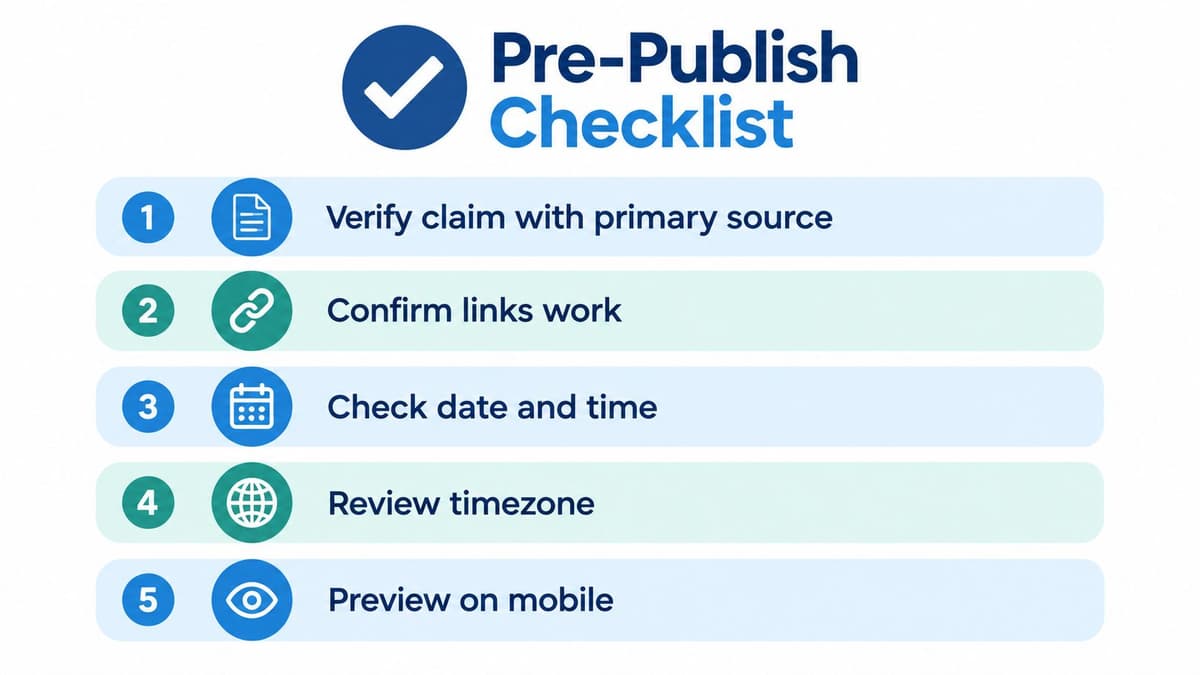
Run these five checks every time
- Verify the claim: Check every factual assertion against a primary source, not another post summarising it.
- Inspect every link: Open shortened URLs yourself. Confirm they resolve to the right page and aren't a typo away from somewhere else.
- Confirm date and UK time zone: A correct post at the wrong hour during a clock change is still a wrong post.
- Preview on mobile: Read it as a follower will, cropped images and all.
- Name an escalation owner: Someone specific must be able to reply, correct or delete during the scheduled window.
Why X needs a pause protocol
This audience reads the news where you publish. Ofcom found 16% of UK adults used X for news, and 22% of X users specifically followed journalists, in Ofcom's 2025 UK news consumption research. Your promotional post sits directly beside reporting on elections, emergencies and deaths.
So build a pause protocol before you need one. When a major UK story breaks, pause the queue first and ask questions second. Scan the day's headlines, then sort queued posts into low-risk informational content that can still run, and sales or humour posts that should wait. Resume only when someone with authority says so.
More automation isn't always better. On a news-driven platform, situational awareness is a feature no scheduler sells.
Keep news-sensitive posts unscheduled until a final fact check, however efficient batching feels. Evergreen content can sit in a queue for weeks. Commentary on a fast-moving event shouldn't sit there for an afternoon. Maintain a simple audit log of approvals and edits so that, when something does go wrong, you can establish what happened without guesswork or blame.
Approval Workflows for Solo Creators, Agencies and Regulated Brands
Scheduling is a permission problem dressed up as a frequency problem. Most guides ask how often you should post. The better question is who said this post could go out, and can you prove it.
The gap is real in UK small businesses. Recent UK research reported 65% of respondents had never received social-media training, 19% did not always obtain permission before posting client-related material, and 28% would not know how to respond to a legal complaint, in UK small-business social media research published via PR Newswire. Publishing daily into that skill gap doesn't build presence. It builds exposure.
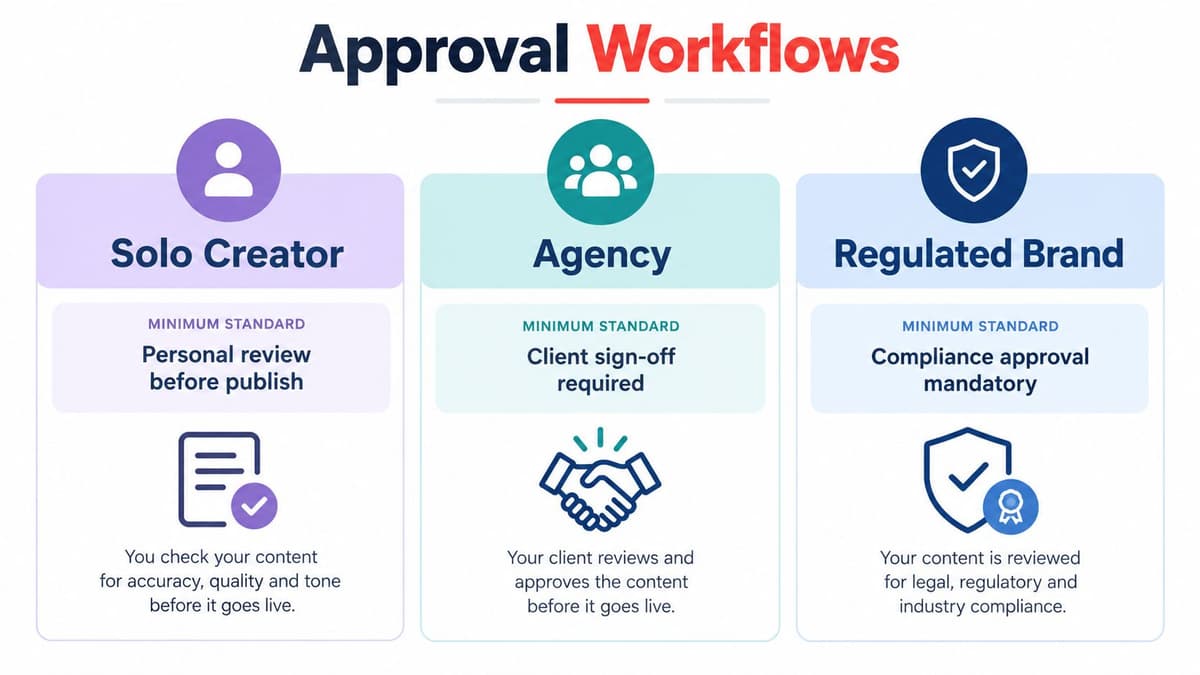
Set a minimum standard by profile
Solo creators need a personal pre-publish checklist and a date-stamped media folder showing where each image came from. That's enough, provided you use it when you're tired and behind schedule.
Agencies need more. Client approval before scheduling, strict separation between client accounts, and an evidence trail of who approved each post and when. If a client disputes a post, your approval record is the whole conversation.
Regulated and client-facing businesses need role-based permissions, formal audit logs and a documented correction procedure agreed before anything goes wrong. Decide in advance who can delete, who drafts the correction and who signs it off.
The video below walks through how structured approval works in practice for teams moving beyond informal sign-off.
For a worked example of approval design, see this social media approval workflow for SaaS teams. When comparing tools against these standards, remember the limit of software. No scheduler decides whether you've got permission to use an image, a testimonial or a client reference. That judgement stays with you, and a smaller, reviewed queue beats a daily cadence you can't govern.
Putting It All Together and Picking the Right Tool
Here's the routine I'd hand a new social media lead. Test two or three UK timing windows for a month, run the pre-publish checklist on everything, apply the approval standard that matches your profile, and check the news daily with authority to pause the queue.
Respect the platform limits while you do it. X imposes a technical limit of 2,400 posts per account per day, divided into smaller semi-hourly limits, in X's account limits documentation. Third-party tools count toward that same allowance. They don't bypass it.
Vary your copy, too. X warns that repeatedly posting duplicate or near-duplicate content across accounts can lead to search filtering and, in some cases, suspension, in X's search policies. Scheduled doesn't mean exempt.
Then choose your tool on evidence. Compare Buffer, Hootsuite, Later, Sprout Social, SocialBee, Metricool, Publer, Vista Social, Planable, Postiz, Typefully and others against your volume, team size and approval needs, and check current pricing on each tool's own site before committing.
Scheduler.social independently reviews and compares real scheduling tools side by side, so you can match features like threads, bulk queues and approval workflows to how your team publishes on X. There's nothing to sign up for, just honest comparisons to help you choose well. Visit Scheduler.social to compare your shortlist and find the scheduler that fits.