Find Your Best Time to Post: A 2026 Platform Guide
Stop guessing. Find the best time to post on Instagram, X, LinkedIn & more. Our 2026 guide covers data-backed windows and how to find your unique peak times.

The biggest mistake in any best time to post guide is pretending there's one answer that works for everyone. There isn't. Generic timing charts can give you a starting point, but they can't see your audience, your content mix, your offer, or how your followers behave on weekdays versus weekends.
The more useful way to think about timing is this: broad platform data tells you where to start, and your own testing tells you where to stay. One large 2026 social timing synthesis found the strongest overall engagement window across major platforms on Tuesday and Wednesday between 11 a.m. and 6 p.m. local time, with Sundays performing worst overall, which matters for UK brands because scheduling should follow local audience hours rather than a global clock (Sprout Social's social media timing analysis). Another 2026 analysis highlighted 9 a.m. as a cross-platform “magic hour” on several networks and kept the strongest weekday window broadly in the morning, reinforcing that local working-day habits still shape visibility (2026 posting-time video analysis).
That still doesn't mean you should blindly post at 9 a.m. every day.
If you manage social seriously, treat timing like a repeatable experiment. Use platform analytics, compare performance by day and hour, and test in clean blocks rather than chasing a single magic minute. That approach lines up with industry guidance to validate timing through your own dashboards and heatmap-style tools, then iterate based on clicks, likes, shares, and meaningful interactions over multiple test cycles (Q-Tech's guide to best posting times). The same logic applies across channels. If you also run lifecycle marketing, your social and inbox rhythms should support each other, especially for launches and campaign pushes. A useful companion read is this guide on the best time to send B2B email.
Table of Contents
- 1. LinkedIn Feed, Stories & Documents
- 2. Instagram Reels & Feed Posting
- 3. Twitter / X Optimal Posting Windows
- 4. Facebook Engagement Peaks
- 5. Pinterest Strategic Pinning
- 6. TikTok Algorithm-First Posting
- 7. YouTube Uploads & Premieres
- 8. Instagram Stories & DM Strategy
- 9. Bluesky & Emerging Platforms
- 10. Multi-Platform Coordination & Batch Scheduling Strategy
- Best Times to Post, 10-Platform Comparison
- Stop Guessing, Start Scheduling Your Action Plan
1. LinkedIn Feed, Stories & Documents
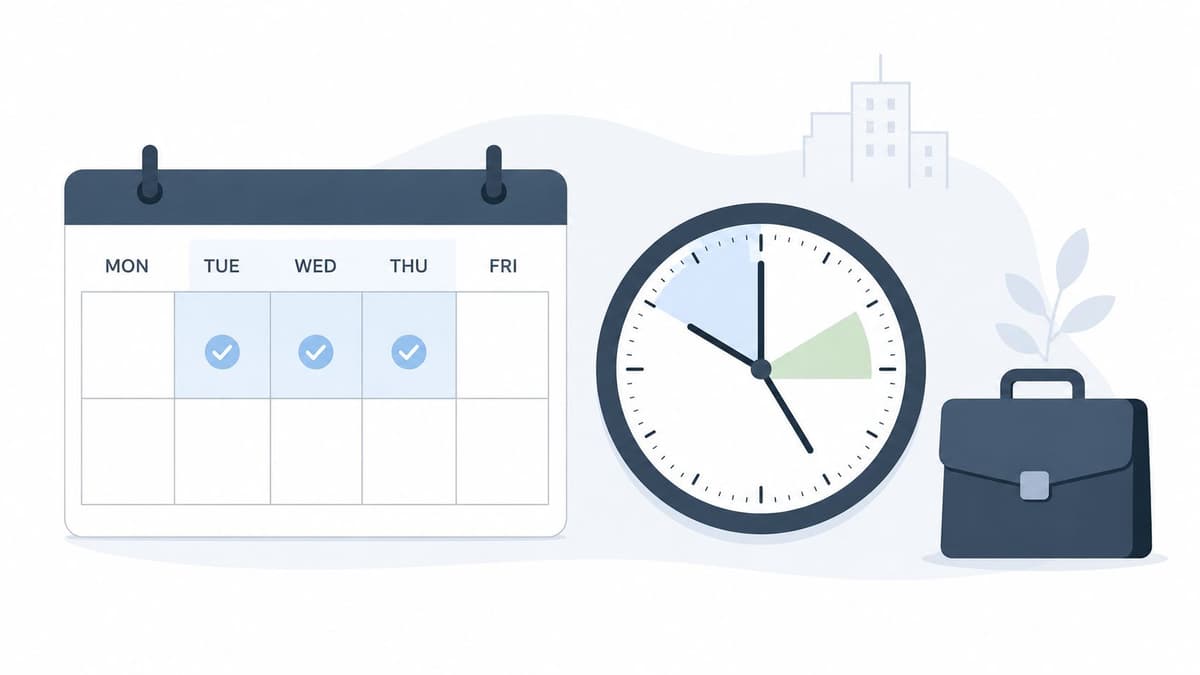
LinkedIn timing usually tracks professional routines. People check it before meetings, during the first part of the workday, and around lunch. That's why weekday posting windows tend to outperform random evening drops for B2B brands, recruiters, consultants, and SaaS teams.
A practical starting point is Tuesday to Thursday mornings, then a second test block around midday. Feed posts, thought-leadership updates, and document posts all benefit when they land before your audience's calendar gets crowded. If you care about visibility, track more than likes. This breakdown of a LinkedIn impression is useful because it keeps your attention on actual reach, not just visible reactions.
Use business-hour behaviour, not creator-platform habits
LinkedIn isn't Instagram with job titles. Casual habits from entertainment-heavy platforms often fail here. Posting late at night can still work for some audiences, especially global ones, but most UK B2B pages get cleaner signals when they schedule around the local working day.
Practical rule: Test one variable at a time. Don't change topic, format, creative, and time slot all at once.
For Stories and lighter updates, earlier slots are often better because they catch quick check-ins before the day gets busy. If you publish employee moments, event reminders, behind-the-scenes clips, or fast commentary, keep those separate from your main feed schedule.
How to test LinkedIn without muddying the data
A solid test cycle is simple:
- Choose one content family: Compare similar posts, such as hiring updates, founder commentary, or customer education.
- Use fixed windows: Try morning versus lunch rather than random times across the week.
- Review business outcomes: Track saves, comments, profile visits, and clicks, not only surface engagement.
A common mistake is overposting on LinkedIn just because a post did well once. Better to keep a steady cadence and learn which format-time pair performs best. Document posts often deserve their own schedule because people need more focused attention to swipe through them.
2. Instagram Reels & Feed Posting
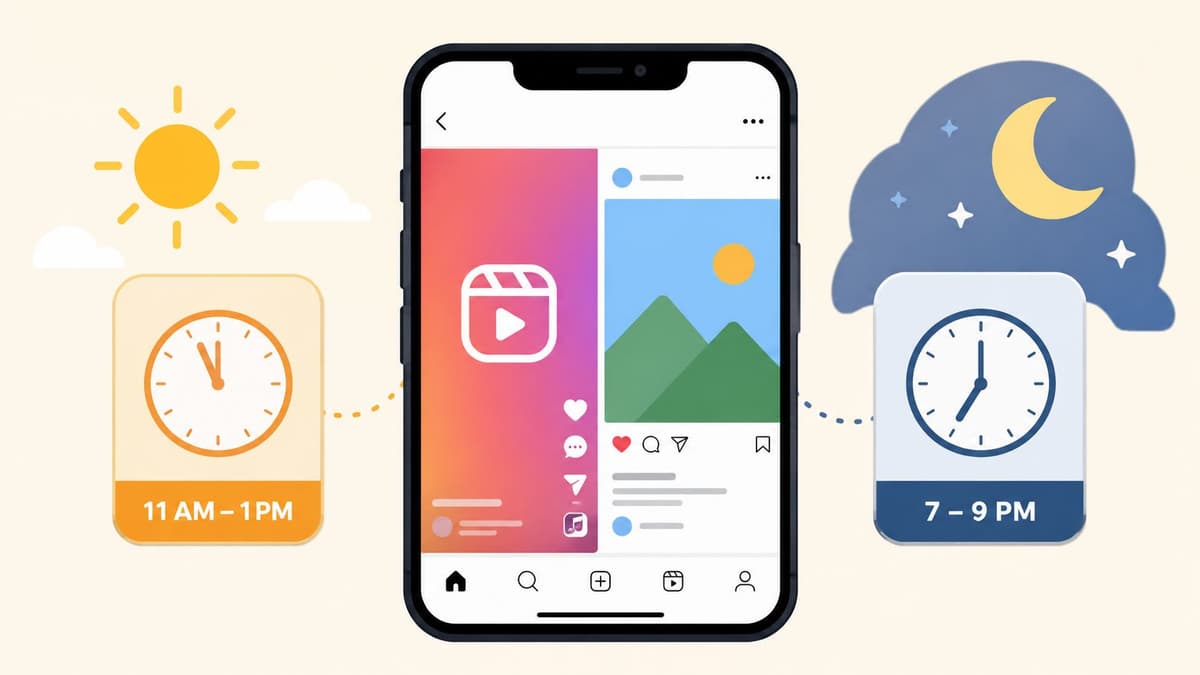
Instagram punishes lazy scheduling more than many people realise. Reels, carousels, single-image posts, and Stories don't all behave the same way, so if you lump them into one “best time to post” rule, your reporting gets messy fast.
A good starting point for UK brands is to split testing into midday and evening windows. Midday catches breaks and scrolling between tasks. Evenings catch leisure browsing. If you want a working benchmark, build your first tests around local hours and compare feed posts against Reels separately. If you need help operationalising that, this guide to schedule Instagram posts is a useful workflow reference.
Separate feed timing from discovery timing
Reels often need strong early engagement to travel beyond your existing followers. Feed posts can still perform well later if the creative is strong and your audience saves or shares it. That means your scheduling approach should reflect the job of the post.
Product drops, before-and-after visuals, recipe content, and tutorials often do well when users have a bit more attention. Fast entertainment clips or trend-led Reels can justify a different window.
What usually works in practice
I'd structure Instagram like this:
- Reels for reach: Test midday against evening and judge by views, shares, saves, and profile actions.
- Feed posts for depth: Compare when your audience is more likely to stop and read captions or swipe a carousel.
- Stories as support: Use them earlier to warm up attention before the main post goes live.
When a team says “Instagram stopped working”, the problem is often bad format timing, not the platform itself.
What doesn't work is posting every asset at the same hour because the content calendar says so. Instagram rewards relevance and momentum. Your job is to make timing serve both.
3. Twitter / X Optimal Posting Windows
X still rewards speed. If LinkedIn is calendar-driven, X is conversation-driven. That changes what “best time to post” means, because the shelf life is shorter and the advantage often goes to the brand that shows up early with something worth reacting to.
For UK accounts, morning and late-afternoon testing usually gives you better signal than broad all-day posting. Commute habits, news cycles, and work breaks shape how people use the platform, especially for B2B commentary, media, sport, finance, and tech.
Use timing as a distribution lever, not the whole strategy
One platform-general gap matters here. Recent guidance often clusters Facebook, Instagram, Threads, and X around 9 a.m. on specific weekdays, but that advice isn't UK-region validation and doesn't fully account for local routines such as commuting, lunch breaks, or hybrid work patterns (Buffer's best posting time guide). That's exactly why X needs more live testing than static charts suggest.
If you post reactive content, timing can matter within the same day. A strong comment sent too late often disappears behind faster voices. For evergreen threads, the urgency is lower, but the opening tweet still needs a moment when followers are likely to engage quickly.
A practical X posting rhythm
What usually works:
- Anchor one reliable morning slot: Use it for commentary, headlines, insights, or campaign posts.
- Leave room for reactive posts: Don't fill the calendar so tightly that you can't respond to news.
- Recycle with variation: Repackage the same idea later with a different angle, hook, or format.
What usually fails is treating X like a once-a-day platform. If your audience lives there, they won't see everything. A thread in the morning, a shorter follow-up later, and a reply-led push can outperform one carefully polished post.
4. Facebook Engagement Peaks
Facebook still pays off for brands that publish for real communities, not vanity reach. Local businesses, healthcare providers, education brands, retailers, venues, and service businesses often get steadier response here than on newer platforms because the audience checks in around routine moments.
That routine is the point.
Facebook timing usually tracks habits more than hype. People open it during lunch, after work, while planning weekends, or when they want updates from groups, local pages, and familiar brands. That makes broad “best time” charts useful only as a starting point. The better approach is to build a baseline, test against your own audience behaviour, and keep the slots that produce comments, clicks, and shares, not just impressions.
Start with a baseline, then test by content type
A practical starting hypothesis for Facebook is weekday lunch. From there, test nearby windows instead of hunting for one magic hour.
Use content categories to keep the test clean:
- Promotional posts: Start with lunch and early afternoon.
- Video posts: Test later in the day, when people are more likely to give you a few extra seconds.
- Community updates: Prioritise windows that generate conversation.
- Event or local posts: Test the times your audience is actively planning, often later afternoon or early evening.
Facebook audiences are rarely uniform, resulting in varied engagement patterns. A retail brand may get strong lunchtime traffic for offers, then better evening engagement on product videos. A clinic, school, or financial services brand often sees the opposite. More consistency, less same-day fluctuation.
A better Facebook testing framework
Run Facebook timing tests in rounds, not as one-off experiments. I'd use a 3-part structure:
- Pick one post type at a time. Don't compare a sale graphic at noon with a customer story at 7 p.m. and call it a timing result.
- Test two or three repeating windows for two to four weeks. That gives you enough volume to spot patterns.
- Judge the slot by the action that matters. Comments, clicks, saves to reminders, link traffic, or message starts will tell you more than reach alone.
If you use a scheduling tool like Scheduler.social, build these windows as repeatable time blocks so the test occurs. That sounds obvious, but many teams never learn their Facebook timing because they post manually, skip days, and change the creative every time.
One post that spikes does not give you a strategy. Treat outliers as signals to investigate, then retest before you rebuild the calendar.
5. Pinterest Strategic Pinning
Pinterest timing is different because the platform behaves more like visual search than a fast-moving feed. The best time to post still matters, but consistency, categorisation, and seasonal planning matter more than trying to hit one perfect hour.
That changes how you should schedule. Instead of asking, “What minute should this pin go live?” ask, “Is this pin entering the platform early enough to be discovered, saved, and resurfaced later?”
Consistency beats obsessing over the clock
Pinterest rewards teams that publish steadily and organise content well. Home décor brands, food creators, fashion shops, wedding businesses, and DIY publishers usually get more from a sustainable queue than from sporadic bursts.
If you only pin when a campaign launches, you're using the platform too narrowly. Pinterest is strongest when you publish evergreen content alongside seasonal assets planned in advance.
How brands make Pinterest timing useful
A workable system looks like this:
- Build themed batches: Group recipes, style ideas, tutorials, gift guides, or room inspiration.
- Publish consistently: Spread pins across the week instead of dropping them all at once.
- Give priority to seasonal lead time: Christmas, summer travel, weddings, back-to-school, and home refresh ideas need runway.
Pinterest is one of the few platforms where a post published today can still matter much later. That's why minute-level timing is less important than catalogue depth and search alignment. Teams that understand this usually stop chasing “best time to post” myths and start building a library.
6. TikTok Algorithm-First Posting
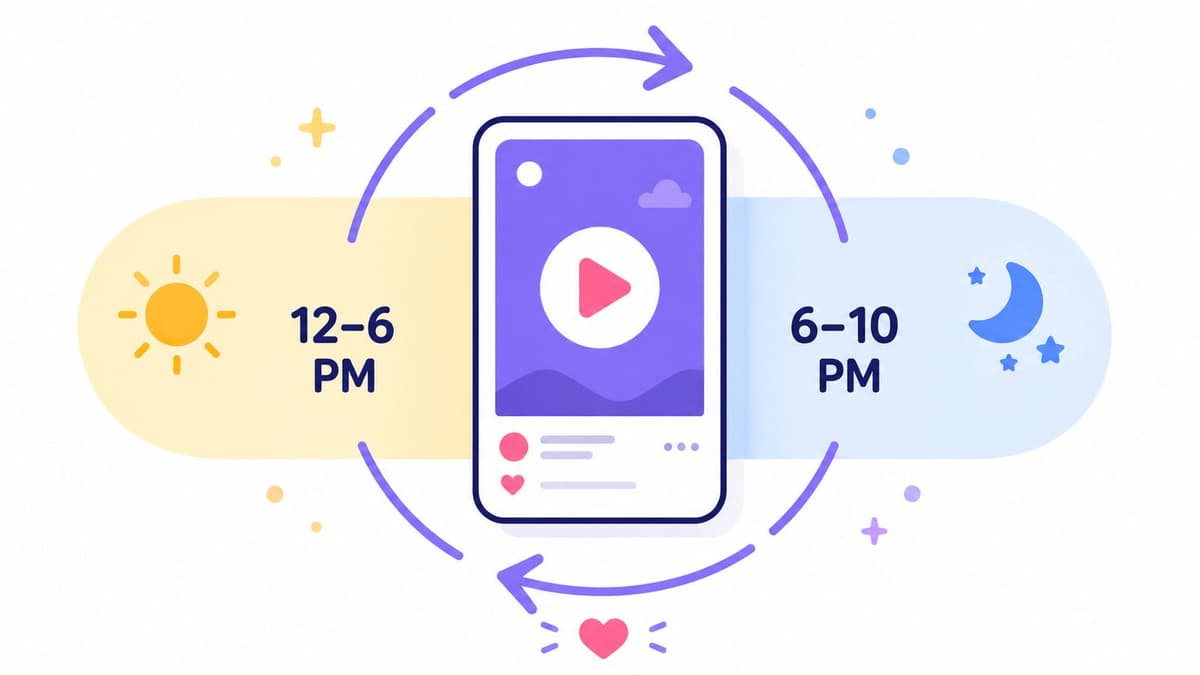
TikTok gives people false confidence because a single post can take off at any time. That leads brands to think timing doesn't matter at all. It does. It's just not the first lever to pull.
The first levers are consistency, hook strength, retention, and whether the idea fits the platform. Once those are in place, timing helps you stack the odds in your favour.
Timing matters less than repeatability
If you're inconsistent on TikTok, the schedule is usually the least of your problems. A weaker video posted at the “right” time won't save a poor concept. A stronger video can travel even if it lands in a less-than-perfect window.
That's why I'd start with repeatable publishing blocks. Pick windows your team can sustain, then refine from there. Midday and evening are common testing zones for many creators because they line up with active browsing periods, but the better question is whether you can keep posting good videos often enough to learn.
What doesn't work on TikTok
These habits usually fail:
- Publishing only when inspiration hits: You won't gather enough signal to learn what works.
- Overproducing every video: TikTok often rewards speed, clarity, and native feel over polish.
- Ignoring trend responsiveness: Some videos should be scheduled. Others should go live quickly.
A beauty brand might keep a queue of evergreen tutorials while leaving room for trend-led sound formats. A founder-led account might alternate educational clips with reactive commentary. Timing helps, but volume with quality control matters more.
7. YouTube Uploads & Premieres
YouTube is where many marketers overrate upload timing and underrate consistency. The upload hour matters less than whether viewers know to expect you, whether the title and thumbnail earn the click, and whether the video keeps attention.
That said, scheduling still matters for two reasons. First, it helps you match your audience's routine. Second, it gives premieres, notifications, and community posts a better chance to work together.
Publishing habits beat one-off timing wins
For most channels, a dependable release pattern beats random uploads at supposedly ideal times. If your audience expects a Friday release, they'll look for it. If you upload whenever the edit is finished, you make audience habit-building harder.
A practical approach is to choose one primary release slot and keep it stable for several cycles before judging it. That gives the channel enough consistency for you to see whether the timing supports views, watch time, and return viewers.
A simple release framework
Use this split:
- Main uploads: Keep them on a consistent weekly slot.
- Premieres: Reserve them for higher-stakes releases where live chat and anticipation add value.
- Support posts: Use Shorts, Community posts, and email to pull attention into the upload.
For creators building across platforms, the supporting ecosystem matters. If you also publish short-form video, it's worth comparing your long-form release plan with this external guide to discover best TikTok posting times.
A gaming channel, an education channel, and a company YouTube page won't share the same ideal release rhythm. They shouldn't.
8. Instagram Stories & DM Strategy
Stories are often where timing becomes most practical. You're not trying to maximise one polished post. You're trying to maintain presence throughout the day and create enough touchpoints that followers keep engaging.
That means frequency and sequence matter more than one isolated Story frame.
Stories work best as touchpoints, not isolated posts
Morning and evening usually make sense as test windows because they match routine check-ins. In practice, Stories often perform best when they support another action. That might be warming up a Reel, pushing viewers to a product page, teasing a launch, or driving replies.
Interactive features matter here. Polls, sliders, question boxes, and link stickers give followers an easy next step. If you only post passive graphics, your Story timing data won't tell you much.
A Story with a clear action often teaches you more about audience timing than a feed post with passive likes.
How to connect Stories and DMs
The strongest Story strategy usually includes DM follow-up. Not automated spam. Useful follow-up based on interest.
Try this structure:
- Morning Story: Quick prompt, poll, teaser, or behind-the-scenes update.
- Midday or evening Story: Main offer, product detail, proof, or link.
- DM follow-up: Reply to engaged users with context, help, or a next step.
This works especially well for coaches, creators, product-led brands, and service businesses where conversation drives conversion. If your Stories and DMs are disconnected, you're leaving one of Instagram's best timing advantages unused.
9. Bluesky & Emerging Platforms
Emerging platforms create the illusion that early adopters have easy reach. Sometimes they do. More often, they just have less competition and less stable behaviour. That makes timing harder to standardise and more important to document.
Bluesky is a good example. You can't rely on years of settled audience habits, so your process matters more than your assumptions.
Start with hypotheses, not certainty
A new platform needs a testing mindset from day one. Start with a few sensible windows, but expect them to change as the audience mix changes. Tech communities, creators, journalists, and niche interest groups often shape early behaviour, which means timing patterns can shift as the platform broadens.
You also shouldn't clone your X schedule automatically. Similar format doesn't mean identical audience behaviour.
A better way to learn fast
For emerging platforms, keep the test simple:
- Use a small number of recurring time blocks: Enough to compare, not so many that you dilute results.
- Log post type with each test: Commentary, link post, meme, image, thread, or question.
- Review quickly: Early platforms change fast, so don't wait too long to adapt.
What works here is disciplined experimentation. What doesn't is treating the platform like an afterthought and then claiming it “doesn't work”. If you want signal, give it a real schedule and a real review process.
10. Multi-Platform Coordination & Batch Scheduling Strategy
The best time to post gets more complicated once you manage several platforms at once. A good social team doesn't just find one ideal slot per channel. It coordinates themes, formats, approvals, and publishing windows so the whole week works together.
That's where many organizations break down. Not because they lack ideas, but because execution becomes fragmented.
Don't publish the same idea everywhere at once
The same campaign can and should move differently across channels. LinkedIn might need a morning thought-leadership angle. Instagram might need a visual hook at midday. X might need a sharper, faster version. YouTube might support the campaign with deeper explanation later.
That's why a proper social media scheduler matters. You need one place to see overlap, stagger similar messages, and adapt timing without rebuilding the whole week by hand.
A visual planning layer helps teams avoid cannibalising their own reach. If the same message hits every network at once, you lose the chance to shape each platform natively.
Build a timing system your team can repeat
Use a weekly operating rhythm such as:
- Early week: Review performance and choose timing hypotheses.
- Midweek: Adapt core assets by platform and queue them.
- Before publishing: Approve content that needs legal, brand, or client review.
- End of week: Compare results by day, hour, and format.
This video shows the kind of workflow thinking that helps teams coordinate publishing at scale:
The more platforms you manage, the more you need rules. Not rigid rules. Repeatable ones. That's how timing becomes a system instead of a guessing game.
Best Times to Post, 10-Platform Comparison
| Platform | 🔄 Implementation complexity | 💡 Resource requirements | ⚡ Speed / efficiency | 📊 Expected outcomes ⭐ | Ideal use cases & Key advantages |
|---|---|---|---|---|---|
| LinkedIn, Feed, Stories & Documents | Medium, scheduling across feed, Stories and time zones | Moderate, thoughtful long-form, documents, approvals | Moderate ⚡, early engagement window important | High ⭐, strong B2B reach, decision-maker engagement | Marketing agencies, B2B SaaS, thought leaders, professional audience, documents for resource sharing |
| Instagram Reels & Feed | Medium–High, format-specific cadence (Reels vs feed) | High, polished visual/video production | High ⚡, Reels can deliver rapid reach when timed | High ⭐, strong reach for visual/DTC brands | Creators, DTC, beauty/lifestyle, visual-first reach, Explore algorithm boost |
| Twitter / X | Low–Medium, frequent posting and rapid responses required | High, constant monitoring and quick content turns | Very high ⚡, real-time amplification and trends | Moderate–High ⭐, fast visibility on trending topics | News/media, creators, tech, multiple daily posts, timely trend amplification |
| Medium, demographic-targeted timing and video focus | Moderate, video assets, community management | Moderate ⚡, steady pacing; groups extend lifespan | Medium ⭐, reliable reach for older demos and communities | DTC, local businesses, community orgs, large user base, demographic targeting, group longevity | |
| Low–Medium, routine pinning more than minute timing | High, consistent volume (3–5 pins/day), seasonal assets | Slow ⚡, low immediacy but efficient long-term traffic | High ⭐, durable referral traffic and search discovery | DTC e‑commerce, home & lifestyle, long content lifespan, strong SEO-like discovery | |
| TikTok, Algorithm‑First | Medium, emphasis on consistency and trend agility | High, frequent short-form video production (1–3/day) | Very high ⚡, strong viral potential if signals align | High ⭐, rapid follower growth for steady creators | Creators, influencers, young-demo brands, viral reach via trends and watch-time signals |
| YouTube Uploads & Premieres | High, production-heavy and scheduling for premieres | Very high, long-form production, editing, thumbnails | Moderate ⚡, premieres & notifications speed discovery | High ⭐, strong watch-time and subscriber retention | Educational and entertainment creators, long-lived content, habitual viewership |
| Instagram Stories & DM Strategy | Low–Medium, daily cadence with interactive elements | Moderate, low-production frequent assets and DM handling | Quick ⚡, immediate visibility and direct engagement | Medium ⭐, strong retention and direct conversions | Influencers, DTC, lifestyle brands, top-of-feed visibility, interactive stickers drive engagement |
| Bluesky & Emerging Platforms | High, experimental timing, frequent testing required | Low–Moderate, agile content adaptation for small audiences | Variable ⚡, early low-competition visibility | Low–Moderate ⭐, exploratory ROI; potential early advantages | Early adopters, tech companies, growth teams, low competition, chance to establish presence early |
| Multi‑Platform Coordination & Batch Scheduling | High 🔄, cross-channel planning, approval workflows | High 💡, teams, tools, bulk publishing and templates | Efficient ⚡, batch scheduling saves time but needs buffers | High ⭐, consistent cross-platform performance and measurable ROI | Agencies, enterprise teams, multi‑brand orgs, consistent messaging, format adaptation, campaign measurement |
Stop Guessing, Start Scheduling Your Action Plan
The best time to post isn't a fixed truth. It's a moving target shaped by audience routine, platform behaviour, content format, campaign goal, and how consistent your publishing system is. Generic data helps you avoid starting from zero, but it won't tell you the exact window where your audience is most likely to click, comment, reply, save, or convert.
That's why the smartest approach is to stop asking for one universal answer and start building a testing framework. Pick a platform. Choose a narrow set of time blocks based on reasonable audience behaviour. Keep the content type comparable. Run the test long enough to see patterns. Then refine.
A lot of teams skip the middle step and jump straight from “I saw a chart” to “this is now our schedule”. That usually creates false confidence. A better method is to use broad evidence as a baseline, then validate against local-hours behaviour in your own analytics. For UK brands, that matters even more because timing advice is often broad and platform-general rather than specifically validated against UK work routines and attention patterns. The local context changes the answer.
In practice, your action plan can stay simple.
Start with one primary hypothesis per platform. On LinkedIn, that might be weekday business hours. On Instagram, it might be midday versus evening for Reels and feed posts separately. On X, it might be one fixed morning slot plus room for reactive posts. On Facebook, it might be lunch-hour testing for community or promotional content. On Pinterest, it might be consistency and seasonal lead time over minute-level precision. On TikTok and YouTube, it might be consistency first, timing second.
Then document everything. Track day, hour, format, theme, creative angle, and result. Review patterns monthly instead of reacting emotionally to one strong or weak post. When you do find a promising window, keep testing around it in nearby blocks rather than assuming you've found a permanent winner.
A platform like Scheduler.social becomes useful in a very practical way. The visual calendar helps you see timing gaps and overlaps across channels. AI-assisted adaptation makes it easier to turn one campaign idea into multiple platform-specific versions instead of copy-pasting. Approval steps help teams publish on time without last-minute chaos. Bulk scheduling helps you test enough posts to gather real signal instead of relying on guesswork.
If you publish on X regularly, pair your timing tests with a clear workflow for queueing and cadence. This X post scheduling guide is a useful companion for that side of execution.
The true win isn't finding one perfect hour. It's building a posting engine that keeps learning. Once you have that, timing stops being a mystery and starts becoming a repeatable advantage.
Scheduler.social gives you a practical way to turn timing advice into an actual system. You can plan content on a visual calendar, adapt posts for each platform with AI help, route drafts through approvals, and schedule everything from one dashboard instead of patching together manual workflows. If you want a simpler way to test, learn, and publish more consistently, try Scheduler.social.